
TL;DR
Can I use Gemini on a cheap Android phone?
Yes. Google rebuilt the Gemini app to run on lower-memory Android phones, including Android Go models with at least 2GB of RAM. Budget phones now get voice chat, camera help and image making for free. Update the Google app or install Gemini from Google Play, then hold the power or Home button.
What changed for budget Android phones?
On Wednesday, November 18, 2026, Google said it had re-architected the Gemini app, meaning it rebuilt how the app works under the hood, so the core Gemini experience runs smoothly on phones with less memory.
That includes Android (Go edition), a lighter version of Android made for entry-level phones. Until now, Google says, hardware limits meant those phones only had basic voice commands. On Go phones, Gemini replaces the older Google Assistant, according to Google's Help page.
Google says "hundreds of millions" of people use a lower-memory Android device as their everyday connection to the internet, education and business.
Which phones can run the Gemini app?
Google's Gemini Apps Help page lists the requirements for Android (Go edition) devices:
- 2GB of RAM or more. RAM is the phone's short-term working memory, separate from storage for photos and apps.
- A Google Account signed in. A personal account works. Work or school accounts need a plan or license that includes Gemini Apps.
- A country and language where Gemini is available.
Parents using Family Link, Google's tool for managing a child's account, can turn off Gemini for users under 13, or the applicable age in their country.
What can Gemini do on a low-memory phone?
Google's blog post and Help page list these features:
| Feature | What it does |
|---|---|
| Gemini Live | Talk things through out loud in more than 45 languages, such as practicing for a job interview |
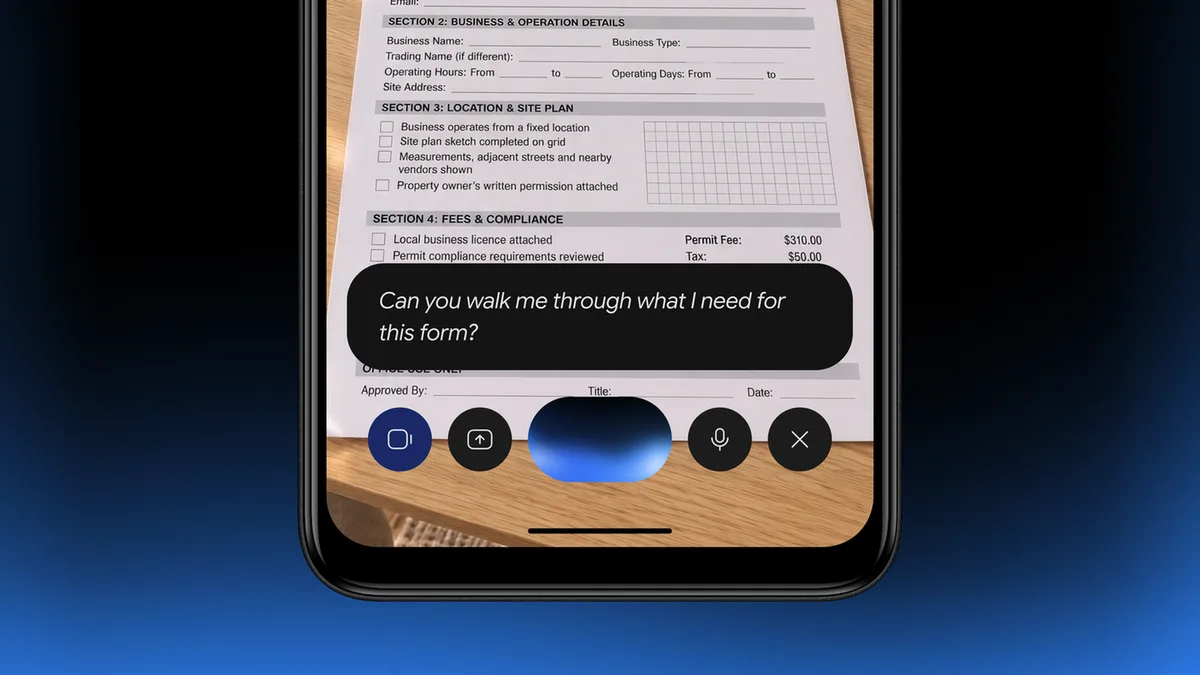
| Camera help | Point the camera at notes or forms to learn from them or translate them |
| Nano Banana | Create custom images from a text description |
| Calls and texts | Ask Gemini to call or message your contacts |
| Daily planning | Set alarms, create calendar events, check drive time |
| File uploads | Add docs, photos and other files to a chat |
| Music | Ask it to play songs by mood or activity |
Gemini Live is Gemini's voice mode, where you speak and it answers out loud in a back-and-forth conversation. Nano Banana is Google's image generation and editing model.
What doesn't work on Android Go phones?
Two features are not supported on Android (Go edition) devices, according to Google's Help page: saying "Hey Google" to start a chat, and "Ask about this screen," which lets Gemini look at whatever is open on your display. You start Gemini by touching and holding the Home button, or by holding the power button on supported phones.
Google didn't list price changes, and the features above come with the free app. Paid Google AI plans and the newest Gemini models, like the Gemini 4 Neon release from Wednesday, aren't mentioned in the low-memory announcement.
How do I get Gemini on my Android Go phone?
There are three routes, per Google:
- Update the Google app. On Android (Go edition), Gemini comes as part of the Google Search app. Open Google Play, search for "Google," and tap Update if it appears.
- Download the Gemini app from Google Play.
- Buy a phone with it preloaded. Google says upcoming devices from partners like Transsion, the company behind phone brands sold widely in Africa and Asia, will ship with Gemini.
X reactions
Brainstorm, learn, and create with the Gemini app, now on lower-memory @Android devices, including eligible Android (Go edition) phones. We re-architected the app so the core Gemini experience runs smoothly on phones that have less memory, putting it in the hands of more people around the world.
— Google Gemini (@GeminiApp) November 18, 2026
Our take
Most AI news is about bigger models for people with the newest phones and paid plans. This one goes the other way, and we think it matters more to more people than most launches this month. A free assistant that can translate a form, practice a job interview or make a simple flyer is useful on a budget phone.
The trade-off is worth knowing. No "Hey Google" and no screen help means it takes a few more taps, and an AI assistant on a phone you share with family sees what you ask it. For a parent or relative with a basic phone, it's still worth setting up together.
— Artificially Nerdy
What to do now
- Check the RAM in Settings, under About phone. You need 2GB or more on Android Go.
- Update the Google app in Google Play, or install the Gemini app.
- Try Gemini Live first by holding the Home or power button and talking.
- Helping a relative? Sign them in, show them the camera translate trick, and turn on Family Link limits for kids under 13.
FAQ
Is Gemini free on Android Go phones?
Yes. Google describes it as the Gemini app for these phones and lists no charge.
Does Gemini replace Google Assistant on Android Go?
Yes. Google's Help page says it replaces Assistant for Android (Go edition).
Does it only work on Android Go phones?
No. Google says the rebuilt app is for lower-memory Android devices in general, and Go phones are included. The 2GB RAM minimum on Google's Help page is listed for Android (Go edition) devices.
Is Gemini available in my country?
It works in all languages and countries where Gemini is already available, per Google. The announcement doesn't name specific countries.
Sources
- Google blog: The Gemini app is now available on lower-memory Android devices — Angus Logan, November 18, 2026. "Hundreds of millions," 45+ languages, Nano Banana, Transsion.
- Gemini Apps Help: Get started with the Gemini mobile app on lower-memory Android devices — 2GB RAM requirement, account rules, unsupported features, how to start.
- Google Gemini on X — November 18, 2026, 12:08pm ET.