
TL;DR
Can you use Gemini on Apple CarPlay?
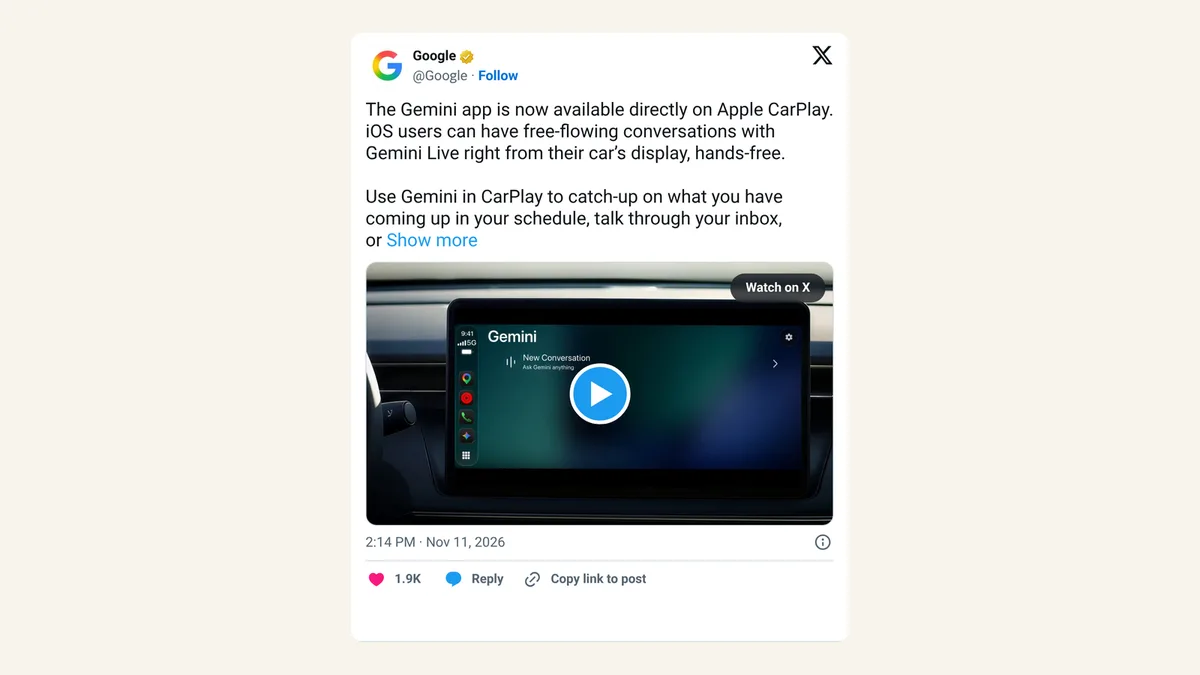
Yes. Google brought the Gemini app to Apple CarPlay, so iPhone users can have hands-free Gemini Live voice chats from the car screen. Your drive can now cover calendar check-ins, inbox recaps or practicing a pitch out loud. Update the Gemini app and use Gemini Live on your phone once to get started.
What did Google launch?
On Wednesday, November 11, 2026, Google announced that the Gemini app is now on Apple CarPlay. Gemini Live is the talk-out-loud mode of Google's AI assistant, where you hold a back-and-forth spoken conversation instead of typing.
In the car, Google says you can catch up on your calendar, talk through your inbox, brainstorm or rehearse a presentation. When you park, the conversation syncs back to the Gemini app on your iPhone, so any notes or ideas are waiting for you. It follows Gemini's arrival on Android Auto and in cars with Google built in.
The rollout started on Wednesday and covers all Gemini users on iOS worldwide, in every language Gemini Live supports. "Rolling out" means some people won't see it for a few days. Google mentions no subscription; it's part of the Gemini app.
How do you set up Gemini on CarPlay?
Google lists four steps:
- Update the Gemini app on your iPhone.
- Allow Gemini to use the microphone.
- Use Gemini Live on your phone at least once.
- In the car, tap the Gemini icon on your CarPlay screen or side rail.
The Daily Brief inbox and calendar recap needs to be turned on in the app first. Google says it isn't available to users under 18, or in the European Economic Area and Nigeria.
Is Gemini better than Siri in the car?
For open-ended talk, it gives iPhone owners a real alternative. Siri is fine for calling someone or setting a reminder, but a longer conversation, like working out how to open a sales call, suits a chatbot better.
Gemini isn't first here. ChatGPT, Claude and Copilot were already on CarPlay, so the choice now comes down to which assistant already knows your calendar and email. If your work lives in Gmail and Google Calendar, Gemini has the head start.
X reactions
Google's Gemini account announced it with a simple how-to, and early users zeroed in on the inbox recap:
Talk it through with Gemini now on Apple CarPlay. 🚗
— Google Gemini (@GeminiApp) November 11, 2026
Just tap the Gemini app icon on your CarPlay screen or side rail to easily pick up a conversation from your phone, explore a topic you're curious about, or brainstorm out loud with Gemini Live.
Gemini just landed on CarPlay. full Gemini Live, hands-free, and the chats sync back to your iPhone when you park
— Adam (@MarkockiAdam) November 11, 2026
the Daily Brief inbox recap sounds like the best part... and of course it's not available in the EU 🫠
#CarPlay #Gemini
Our take
The best use here is rehearsal. Practicing a pitch, a tough customer call or a job interview out loud is something most people skip, and a commute is the rare stretch of time when nobody can hear you talk to yourself. Having an assistant push back on your answers makes that time count.
Keep it to talking. Glance at the screen only the way you would for maps, and save anything that needs reading or typing for when you've parked.
— Artificially Nerdy
What to try on your next drive
- Practice out loud: "Ask me the five hardest questions a client could ask about my prices."
- Plan the day: turn on Daily Brief before you leave, then ask Gemini what's on your calendar.
- Capture ideas: brainstorm a newsletter or a product name, then open the synced chat on your iPhone after you park.
- Don't see the icon yet? Update the app and check again in a few days, since the rollout is gradual.
FAQ
Do I need a paid Gemini plan for CarPlay?
Google doesn't mention a subscription. CarPlay support comes with the Gemini app itself.
Does Gemini on CarPlay work with Android phones?
CarPlay is Apple's system for iPhones. Android users get Gemini through Android Auto or cars with Google built in.
Why can't I get the Daily Brief in the car?
It has to be turned on first, and Google says it isn't available to users under 18 or in the EEA and Nigeria.
Sources
- Google: Talk it through with Gemini, now on Apple CarPlay — November 11, 2026. Features, sync, rollout, setup steps, Daily Brief limits.
- Google on X — November 11, 2026, 2:14pm ET.
- Google Gemini on X — November 11, 2026, 4:14pm ET.
- Adam on X — November 11, 2026, 3:56pm ET.