
TL;DR
Can AI build a Snapchat Lens for me?
Yes: Snap's free Easy Lens CLI lets AI coding assistants like Claude Code, Codex and Cursor build Snapchat Lenses from a plain-words description. Creators and small brands can make filters and mini-games without writing code. If you already use one of those assistants, install it and try a simple Lens.
What is Snapchat's Easy Lens CLI?
On Wednesday, November 18, 2026, Snap released Easy Lens CLI. A CLI, or command-line interface, is a tool you run by typing commands in a terminal window instead of clicking buttons. This one connects Snapchat's Lens-making system to an AI coding assistant, an AI that writes and runs code for you.
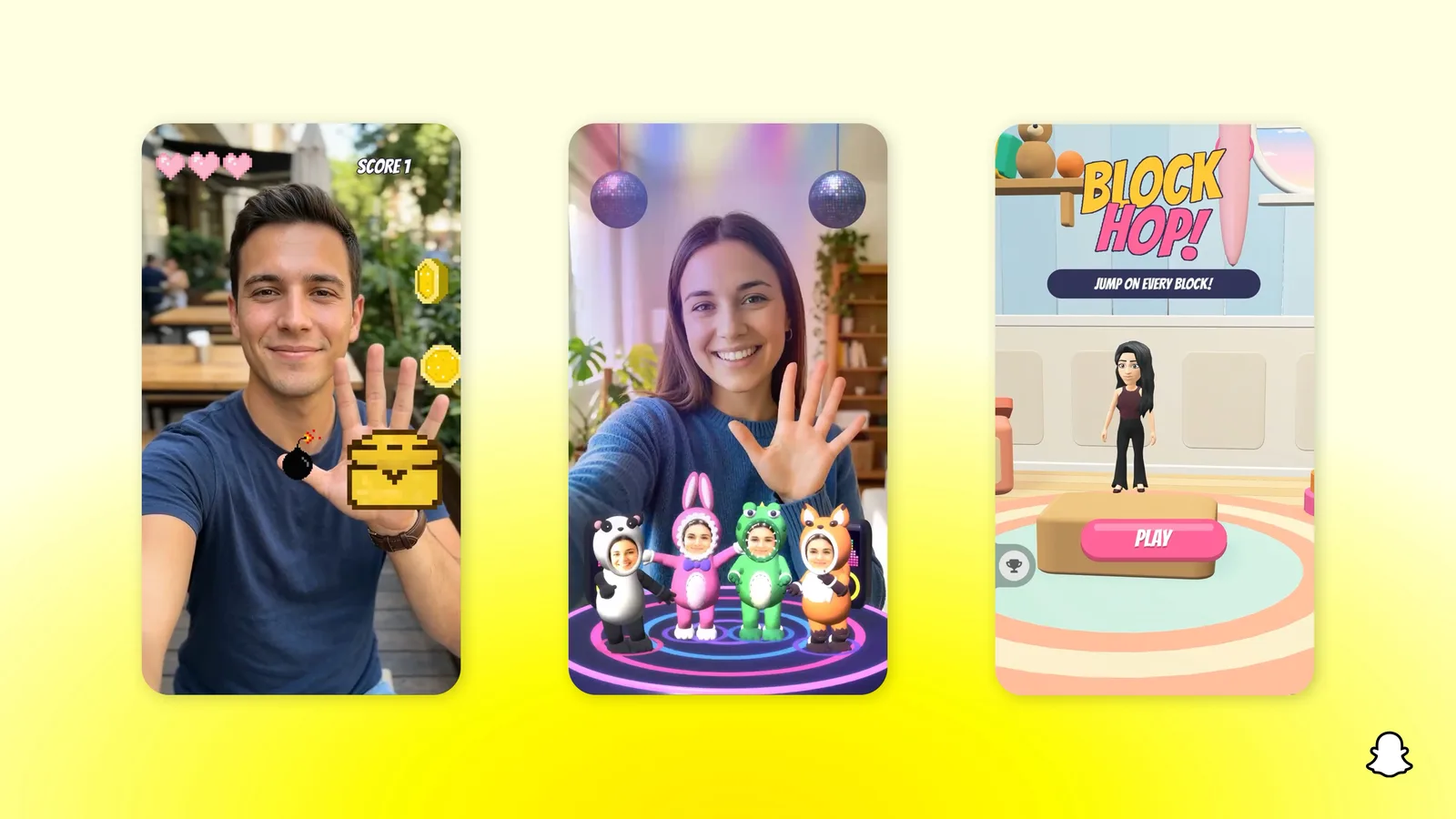
Lenses are Snapchat's AR effects: the face filters, camera effects and mini-games people use in the app. AR, or augmented reality, means digital objects layered over your camera view.
Snap already had Easy Lens, which builds a Lens from one prompt on the web and in its mobile app. The CLI moves that same flow into the assistant you already work with. Snap names three: Claude Code, Codex and Cursor.
It's free to use with a Snapchat account, and it runs on Mac, Windows and Linux.
How do you build a Snapchat Lens with Claude Code or Cursor?
Per Snap, you describe the Lens you want, and the assistant handles each step:
- Build. It pulls from more than 100 AR building blocks and more than 50 AI asset generators, tools that make images, 3D objects and other pieces for the Lens.
- Preview. It renders preview videos and sends early versions straight to your phone.
- Publish. It shares the Lens to Snapchat and tracks how it performs, all in the same session.
Snap says the assistant can also fix errors along the way and send new versions to your phone "in minutes," and that "a full game can go from an idea to a published Lens in a single day, without writing any code."
Getting started takes three steps, according to Snap: install the tool from easylens.snapchat.com/cli, sign in with Snapchat, and connect your coding assistant.
What kinds of Lenses can you make?
Snap lists a few:
- Web Lens games with leaderboards. Game makers can also bring browser games they've already built to Snapchat as Web Lenses.
- Camera Lenses, the classic effects on top of your camera view.
- Beauty effects.
Snap pitches it at three groups. Game developers get a daily audience with built-in sharing. AI creators can bring assets from their favorite tools and keep their own style. Agencies can turn existing campaign videos, images and brand assets into AR Lenses "in a fraction of the usual production time."
Can you make money from Snapchat Lenses?
Possibly. Developers enrolled in Lens+ Payouts, Snap's program that pays creators based on their Lenses, can earn from Lenses built with the CLI. Snap says it awarded US$1.8 million in payouts to Lens+ community creators last month.
Lenses made this way go through the same content checks, Lens review and publishing path as Lenses made in the Easy Lens apps. Once approved, they can reach Snapchatters right away.
What's the catch?
"No coding required" doesn't mean no setup. You still need an AI coding assistant, and most of the good ones are paid plans. You also need to be comfortable opening a terminal to install the tool and connect it.
The tool is free; the assistant doing the work usually isn't. If you've never touched Claude Code, Codex or Cursor, the web and mobile Easy Lens apps are the gentler way in.
AI coding assistants started as tools for programmers. Snap is betting that the people now using them to build apps by describing them, often called vibe coding, will make camera effects too.
X reactions
Easy Lens CLI is out, so you can build, test and publish Snapchat Lenses from an AI coding assistant.
— Creators Toolbox (@Creator_Toolbox) November 19, 2026
Snap says you describe the Lens in plain words, with no coding required.
It works with Claude Code, Codex and Cursor, on Mac, Windows and Linux.
Our take
This is a smart move by Snap. Instead of asking creators to learn Lens Studio, it meets them inside the AI tools they already pay for, and it hands the assistant the preview and publishing steps that usually eat an afternoon.
We'd treat the "full game in a single day" line as a best case. Still, for a small brand that wants a branded filter, or a creator who wants a quick mini-game, the cost of trying is now an evening and a prompt. Lens+ Payouts give it a real reason to exist beyond the novelty.
— Artificially Nerdy
What to do now
- Already use Claude Code, Codex or Cursor? Install Easy Lens CLI from easylens.snapchat.com/cli and connect it.
- Start small, with one camera effect, before trying a game with leaderboards.
- Send early versions to your phone and try them in good and bad lighting before you publish.
- Creators who want to earn: look into Lens+ Payouts before you publish.
- No coding assistant? Try the regular Easy Lens app on web or mobile first.
FAQ
Is Easy Lens CLI free?
Yes, with a Snapchat account. The AI coding assistant you connect may cost money.
Do I need Lens Studio?
Snap doesn't list Lens Studio as a requirement. You install the CLI, sign in with Snapchat and connect your coding assistant.
Do Lenses made with AI get reviewed?
Yes. They go through the same content checks and Lens review as any other Easy Lens creation.
Which computers does it run on?
Mac, Windows and Linux.
Sources
- Snap Newsroom: Introducing Easy Lens CLI — November 18, 2026. Features, numbers, payouts, platforms, review.
- Easy Lens CLI install page
- TechCrunch: Snapchat now lets developers build AR Lenses with AI coding assistants like Claude Code and Cursor — November 18, 2026, 2:56pm ET.
- Creators Toolbox on X — November 19, 2026, about 2:07am ET.