TL;DR
Can Gemini edit documents and PDFs now?
Yes. Google's Gemini app can now create, preview and edit Docs, PDFs, slides and spreadsheets right in the chat, for all users. You can type edits yourself or highlight a part and ask Gemini to change it. To try it, open Gemini on the web; only PDFs work in the phone app for now.
What did Google launch?
On October 29, 2026, Google added file creation and editing to the Gemini app. Ask for a document, and Gemini now builds it and shows a preview right in the conversation. From there you have three ways to change it:
- Edit it yourself. Expand the file to full screen and type your changes.
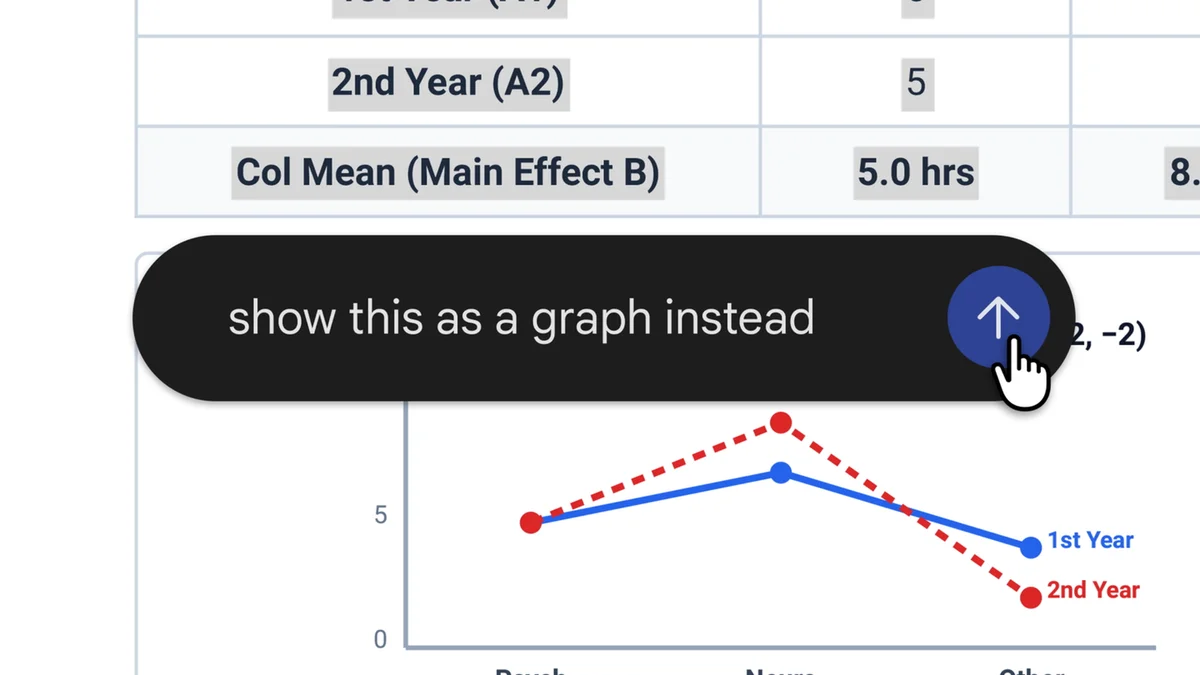
- Point at a part. Highlight a section and ask Gemini to rewrite the text or change the visuals.
- Ask about it. Highlight text and ask a question about it.
Google's own example: upload photos of handwritten lecture notes, ask for a PDF study guide, then tidy it up by hand or with Gemini.
Which files does Gemini support, and where?
| File type | Web | Mobile app |
|---|---|---|
| Yes | Yes | |
| Google Docs | Yes | Not yet |
| Google Sheets | Yes | Not yet |
| Slide decks | Yes | Not yet |
| Markdown and TXT files | Yes | Not yet |
| Code files | Yes | Not yet |
Google says the feature is available to all users in every language where the Gemini app works.
What's still unclear?
Google hasn't said how large a file can be, or how edits made in the chat sync back to a file that already lives in your Google Drive. If you're editing something important, keep a copy of the original until you've seen how it behaves.
How can a small business use it?
This is handy for the short documents that eat up an afternoon:
- A quote or estimate you need to tweak for each customer
- A one-page price sheet or menu of services
- A simple pitch deck or event flyer
- A spreadsheet of costs you want summed, sorted or cleaned up
Before, you'd ask Gemini for a draft, copy it into Docs or a PDF editor, and fix it there. Now the draft and the fixes happen in one window.
Our take
The highlight-and-fix part is the real upgrade. Asking a chatbot to "change the third paragraph, but keep everything else" usually ends with it rewriting the whole thing. Pointing at the exact section you want changed is how people actually edit, and it should mean fewer rounds of "no, put that back."
It also tightens the race with ChatGPT and Claude, which already make files in chat. Google's edge is reach: it's open to every Gemini app user and sits next to Docs and Sheets, which plenty of small shops already run on (Google is also opening Gemini up to other apps with its Connected Apps Platform). The catch is that the phone app only handles PDFs for now, so if you do most of your admin on your phone, you'll still be waiting on the rest.
— Artificially Nerdy
What should I do now?
- Open Gemini on the web and ask it to draft one document you redo often, like a quote or price sheet.
- Try the highlight tool: select one line and ask for a change, then check nothing else moved.
- Keep a copy of any important file before editing it in Gemini, since Google hasn't explained how Drive sync works.
- Already paying for ChatGPT just for documents? Check these ChatGPT Plus alternatives before your next renewal.
FAQ
Who can use Gemini's file editing?
Google says it's available to all Gemini app users in every language the app supports.
Can Gemini edit Google Sheets?
Yes, on the web. Google Sheets is one of the web-only formats, so it doesn't work in the mobile app yet.
Can Gemini edit a part of a document without changing the rest?
That's the idea. You highlight a section and ask Gemini to change the text or visuals there, or you expand the file and type edits yourself.
Does Gemini save edits back to my Google Drive file?
Google hasn't said. Its announcement doesn't explain how in-chat edits sync with files already in Drive.
Can Gemini turn photos of notes into a PDF?
Yes. Google's own demo turns uploaded photos of handwritten notes into a PDF study guide you can then edit.
Sources
- Google: Edit and preview documents directly in Gemini: the announcement, supported formats, web and mobile split, editing options and availability.
- Gemini app on X: the October 29 launch post.