

TL;DR
Can ChatGPT do my bookkeeping now?
Partly, on ChatGPT Business or Enterprise. OpenAI launched ChatGPT for Accounting, which drafts bank matches, invoice entries and month-end reports from apps like QuickBooks and Xero. OpenAI documents the plugin for those workspaces. It can cut the typing, but you still check and approve every entry.
What is ChatGPT for Accounting?
On Wednesday, November 18, 2026, OpenAI launched ChatGPT for Accounting. It's built on plugins, add-ons that connect ChatGPT to other apps and teach it how to handle a type of work.
There are two parts. The Accounting plugin gives ChatGPT step-by-step guidance for recurring jobs like reconciliation and reporting. Partner plugins connect it to the accounting app where your books live. OpenAI's help page lists eight:
- BILL
- Campfire
- FreshBooks
- Oracle NetSuite
- Oracle QuickStart
- QuickBooks Online
- Rillet
- Xero
For apps without a plugin, OpenAI says ChatGPT can use computer use, meaning it operates the app on your screen by clicking and typing like a person would.
What can ChatGPT do with QuickBooks or Xero?
OpenAI's help article describes four main jobs:
- Bank reconciliation. That's checking your bank statement against your ledger, the master record of every transaction, so the two agree. ChatGPT lists proposed matches separately from possible duplicates, missing transactions and fee or currency differences, with the source row for each.
- Invoice and receipt entries. Give it invoices or receipts plus your chart of accounts (the list of categories your business uses), and it suggests the vendor, amount and account for each, flagging anything unclear.
- Month-end and client reports. It fills your own Excel template, explains big changes and points to the records behind each figure.
- Audit support. It matches each item on an auditor's request list to its evidence and lists what's missing.
OpenAI's page quotes Lisa Kholdi, a regional controller at Current, who estimates it saves her "five to six hours a month" across the firms she supports.
On Thursday, Xero expanded its own ChatGPT connection. Accountants and bookkeepers can now start month-end close reviews (the checks done before a month's books are final), client portfolio reviews and quarterly meeting prep inside ChatGPT. Xero says this part is currently available in the US.
Does ChatGPT enter transactions into your books?
Only after you approve, and only where the app allows it. OpenAI's help article says ChatGPT prepares drafts for your review. It also warns that a connection that can read your transactions may not have permission to enter records, so check each app's listing to see what it supports.
Xero's post makes the same point from the other side: the review happens in ChatGPT, and changes go back into Xero, "where your ledger lives and where every change stays traceable."
If an entry's status looks unclear, OpenAI says to check the accounting app before trying again, so you don't create a duplicate.
How much does it cost, and who can use it?
OpenAI documents the Accounting plugin for ChatGPT Business and Enterprise workspaces. The plugin is free to install, per OpenAI.
Setup happens in the ChatGPT desktop app: open the plugin directory, search for Accounting and install it. ChatGPT Business members can install it without admin approval. On Enterprise, an admin has to approve it first. OpenAI says data from Business and Enterprise isn't used to train its models by default. Intuit's QuickBooks connection guide is for US customers.
X reactions
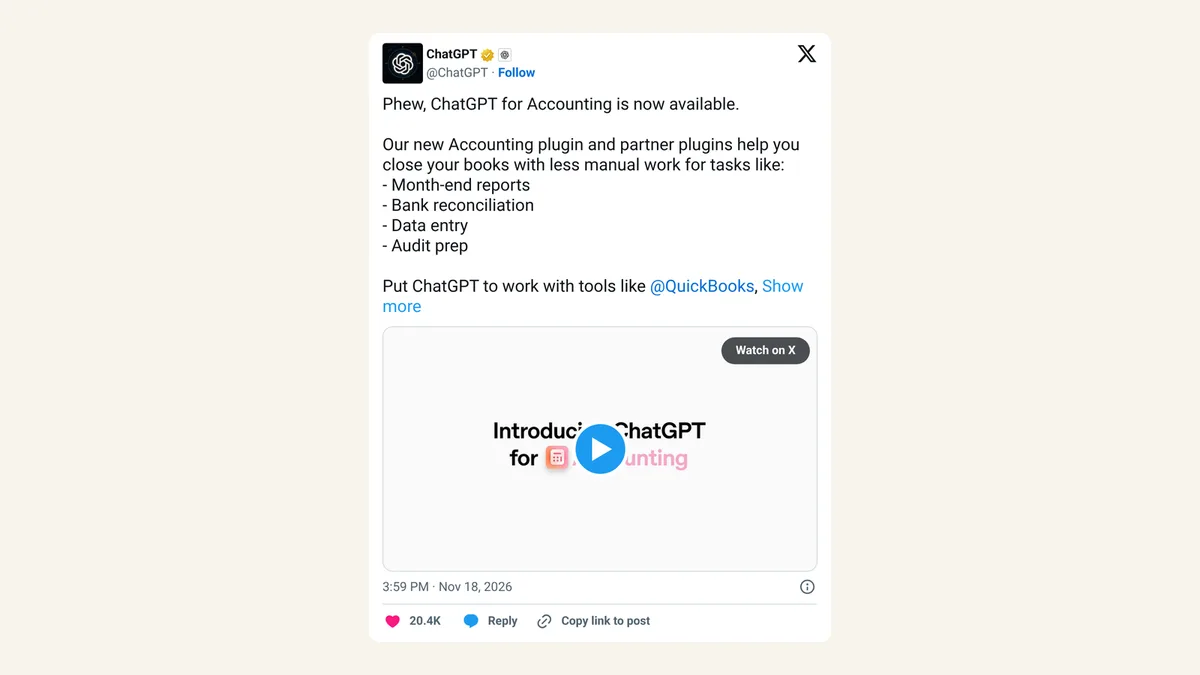
Phew, ChatGPT for Accounting is now available.
— ChatGPT (@ChatGPT) November 18, 2026
Our new Accounting plugin and partner plugins help you close your books with less manual work for tasks like:
- Month-end reports
- Bank reconciliation
- Data entry
- Audit prep
Put ChatGPT to work with tools like @QuickBooks, @Xero, Oracle @NetSuite , @BILLcom, @FreshBooks, @RilletHQ, and @Meet_campfire.
Try it here: openai.com/business/solut…
accountants watching their job get automated:
— CG (@cgtwts) November 18, 2026
Our take
The viral joke says accountants are done. The fine print says something closer to the opposite: every step in OpenAI's own guide ends with a person checking the numbers. Matching a few hundred bank lines is the grind nobody went into accounting for, and a draft with the source row next to each match is a real help.
The risk sits with small business owners who do their own books. A wrong entry in a ledger is a tax problem later, and AI can be confidently wrong. Used as a first pass that you or your bookkeeper checks, we think it's worth a try. Used as "approve all," it isn't.
— Artificially Nerdy
What to do now
- Run it on a month you've already closed, then compare its reconciliation with yours before trusting it on live books.
- Open each partner plugin's listing to see whether it can only read your data or also enter records.
- Give it your chart of accounts and coding rules so its suggested categories match how you already work.
- Ask for the source row on every match and spot-check the exceptions it flags.
- Working with a bookkeeper? Agree on who approves entries before anyone connects the books.
If you're curious how the bigger firms are using AI here, our look at KPMG's AI agents for audit work goes deeper.
FAQ
Who can use ChatGPT for Accounting?
OpenAI documents the Accounting plugin for ChatGPT Business and Enterprise workspaces. Business members can install it without admin approval; on Enterprise, an admin has to approve it first.
Can I use it with my own Excel report template?
Yes. OpenAI says you can upload your existing Excel template and ask ChatGPT to keep your layout.
Does it work with Wave or Zoho Books?
Neither is on OpenAI's partner list. For apps without a plugin, OpenAI says ChatGPT can use computer use to work inside the app, or you can upload a file export.
Can ChatGPT read invoices from my email?
Yes, if you connect your email. OpenAI's example asks ChatGPT to find jobs ready to invoice in your email and create the invoices in QuickBooks for your review.
Can it remember how I do month-end?
If your workspace has skills, saved instructions ChatGPT can reuse, you can save your report format, coding rules and review checks for next month, per OpenAI.
Sources
- OpenAI Help Center: Using ChatGPT for accounting work — setup, partner list, use cases, approval and duplicate warnings.
- OpenAI: ChatGPT for Accounting — computer use for other apps, data-training note, Lisa Kholdi quote, email invoicing example.
- Xero blog: Xero expands OpenAI integration — Diya Jolly, November 19, 2026. Month-end close review, US availability.
- Intuit: Connect QuickBooks Online to ChatGPT — US customers.
- ChatGPT on X — November 18, 2026, 3:59pm ET.
- CG on X — November 18, 2026, 8:10pm ET.