

TL;DR
Is it safe to let AI control my computer?
Gemini on Mac can now click, type and fill forms for you, and ChatGPT's agents are spreading too. It can be safe if you limit what the AI can reach. Give it only the apps a task needs, keep logins and payments out at first, and watch the first few runs.
What can an AI agent do on your computer?
Computer use means the AI works your computer for you: it opens apps, clicks menus, types and fills in forms, much like a person at the keyboard. An agent is the name for AI that carries out multi-step tasks this way instead of only answering questions.
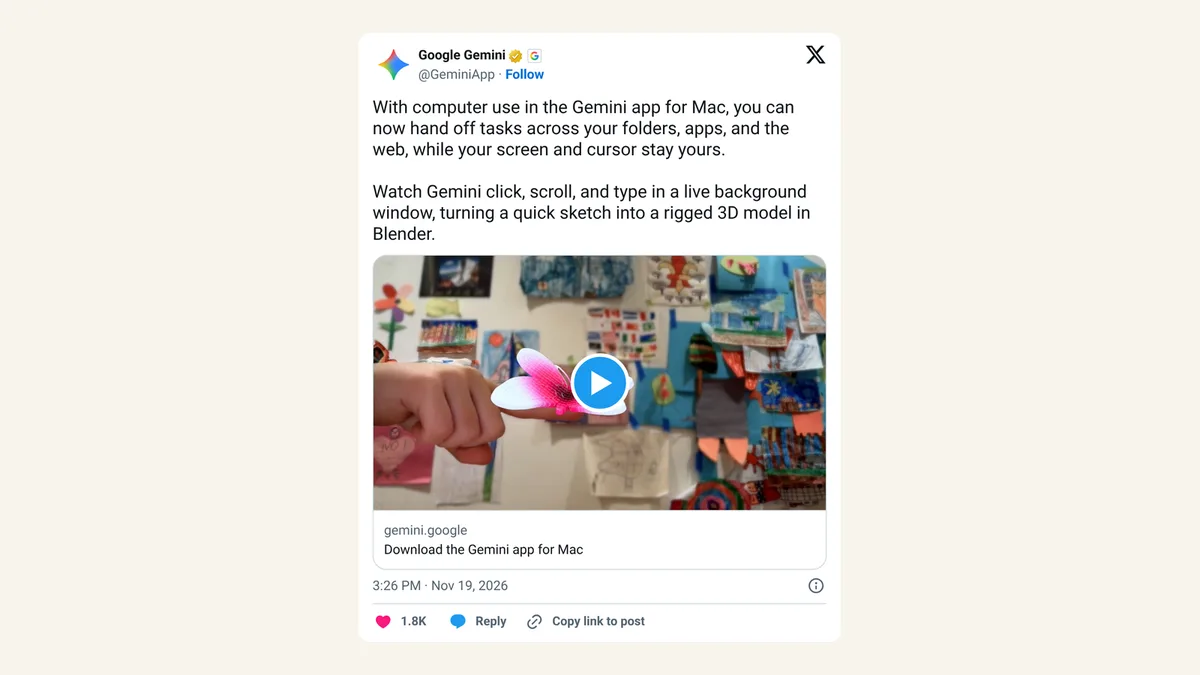
On Thursday, November 19, 2026, Google added this to the Gemini app for Mac for Google AI Plus, Pro and Ultra subscribers in the US. Google says Gemini works across your local files, desktop apps and websites in a separate background window, with a live preview in your chat, so your own screen and cursor stay free. OpenAI's dots agents in ChatGPT do similar jobs, and OpenAI's help page says you choose what your dot can do on its own.
What it can reach depends on the permissions you grant. An agent with access to your mail app can read your mail. One with access to your browser may see sites where you're already signed in.
Which apps should you give Gemini or ChatGPT access to?
Only the ones the task needs. Google says you choose which apps Gemini can access, so start small. If the job is building a slide deck from a spreadsheet, that's two apps, not ten.
A simple way to decide:
- Fine to start with: the app the task lives in, like a photo editor, a spreadsheet or a slide tool.
- Wait a while: your email, chat apps and file folders with personal documents.
- Keep out at first: your bank, payment apps, password manager and anything where one wrong click sends money or deletes data.
Run the same task a few times on low-stakes files before you widen access.
Should you allow Full Disk Access for an AI app?
Usually no. Full Disk Access is a Mac setting that lets an app read almost every file on the computer. Apple's own warning to developers is blunt: granting it "puts all of the data on their Mac at risk," per TechCrunch.
Apple is tightening this in macOS 27.3. According to TechCrunch, the update adds a setting called System & App Protection Override, which lets one app control others by getting past the Mac's built-in protections, plus guidance to grant it only to specific apps. You'll also be able to make an app ask for permission every time it needs access, and an indicator will show when one app is controlling another. Bloomberg's Mark Gurman reports that, in the beta, turning on ChatGPT's computer use now takes 14 steps, up from four.
If a task needs every file on your Mac, it's probably not a task for an agent yet.
The "ask every time" option is slower, but for a new agent it's the safer default.
How do you watch and stop an AI agent?
Both Google and OpenAI give you a brake. Google says you can watch every step in the live preview, pause any time and approve key actions before they happen. OpenAI says you can review your dot's work and pause it any time.
Note the wording: Google says "key actions," not every action. Some clicks will happen without a prompt. For the first few runs, keep the preview open and watch, the same way you'd check a new hire's first week of work. If it does something you didn't expect, pause it, then narrow its app access before trying again.
What should you never hand to an AI agent?
Keep these for yourself, at least until you trust a tool:
- Payments and purchases. Don't let an agent check out with a saved card.
- Passwords and two-step codes. Type them yourself.
- Sending messages as you. Have it draft, then you hit send.
- Deleting or moving lots of files. Work on copies.
- Work accounts. Check your company's rules first. Gemini's Mac computer use is for personal Google accounts, per Google.
Expect the rules to keep shifting: Apple is reportedly building its own Mac agent, and Google only switched on computer use in Gemini for Mac this week.
FAQ
Do I need a paid plan for Gemini computer use on Mac?
Yes. Google lists Google AI Plus, Pro and Ultra, in English in the US, for users 18 and older.
Which Macs work with Gemini computer use?
Google says an Apple Silicon Mac running macOS Sequoia 15.0 or later.
Can an AI agent see my screen while I keep working?
Gemini works in its own background window, per Google, so your screen and cursor stay yours. It still sees whatever is inside the apps you let it use.
Can I take back an agent's access later?
Yes. Turn off the app's permission in your Mac's Privacy & Security settings, or remove apps from the agent's list in its own settings.
Sources
- Google, "Computer use in the Gemini app for Mac" (November 19, 2026)
- OpenAI Help Center, "Getting started with your dot"
- TechCrunch, "Apple reveals new Mac security controls as AI agents raise privacy risks" (November 16, 2026)
- TechCrunch, "Apple may be developing its own AI agent that runs your Mac" (November 19, 2026)
- Mark Gurman (Bloomberg) on X, 14 steps (November 19, 2026)