
TL;DR
What do I need to do before the Nest app shuts down?
Google retires the Nest app on January 25, 2027. If you own a Nest camera, doorbell or thermostat, you'll need the Google Home app and a Google Account to keep control. Install Google Home, move any old Nest account and download saved clips from home.nest.com now.
Do I need to do anything, or does it all move by itself?
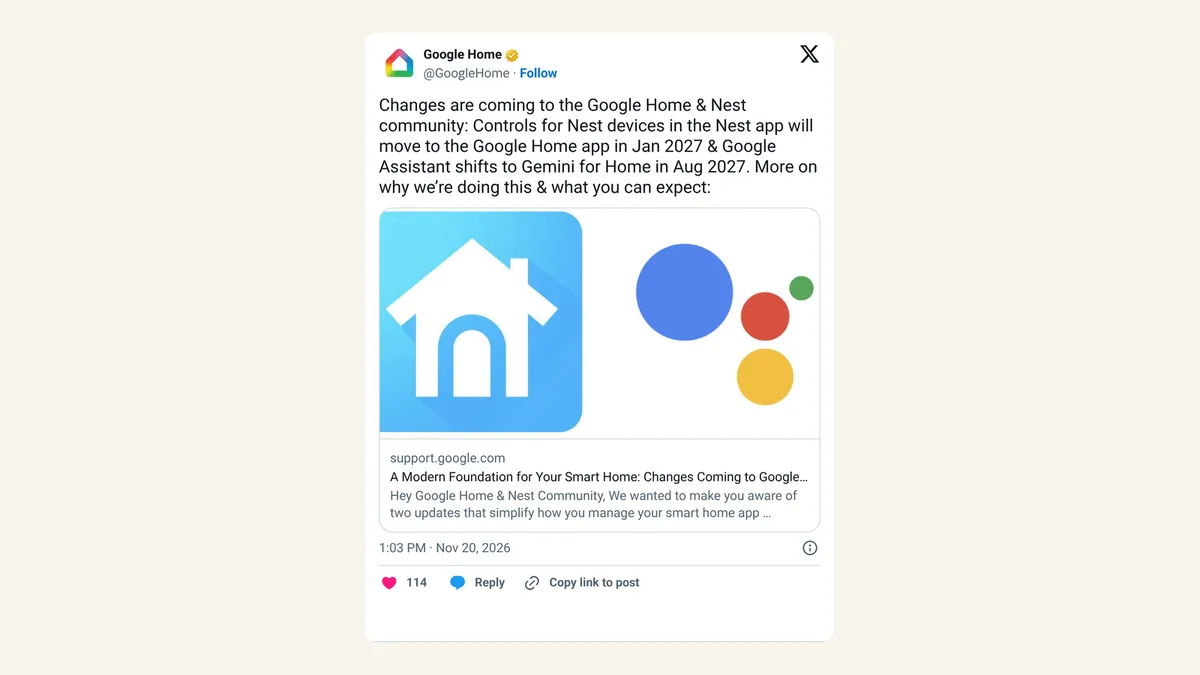
Most of it moves by itself. On Friday, November 20, 2026, Google said all supported Nest thermostats, cameras, doorbells, smoke and CO alarms and locks will transfer to the Google Home app starting January 25, 2027, along with camera video history. Your devices keep working at home the whole time. Google also set a date for replacing Google Assistant with Gemini on its smart speakers in August 2027.
What Google can't do for you is pick a Google Account, find clips you saved years ago, or chase down the person who set up the camera at your shop. Those three jobs take about 15 minutes if you do them this month, and a lot more stress if you leave them for January.
How do I know if I have an old Nest account?
Open the Nest app's sign-in screen. Google's check is simple:
- You tap "Sign in with Google" and see your home: you're already linked. Nothing to migrate.
- You tap "Sign in with Nest" and type a separate Nest password: you have an old Nest account. Go to the Nest app settings and run the one-time "Migrate to a Google Account" step.
Anyone who first signed in after August 19, 2019, already uses a Google Account, per Google. Pay attention if you've had Nest gear longer than that. Google wants this done before January 25 so you don't lose access to your devices, and March 25, 2027, is the hard stop. After that date, Google says unlinked Nest accounts "along with associated data and subscriptions will be deleted."
Missing one sign-in step can delete a Nest account, its footage and its subscription.
One choice to make while you're there: Google lets you link a work Google Workspace account, but warns you "may not have full functionality." Google recommends a personal Gmail account for every feature. For a small business, a shared business Gmail that more than one person can reach beats one employee's personal inbox.
How do I save my old Nest video clips?
This step only matters if you have older Nest cameras or doorbells and saved clips by hand on the web. Those clips live in the clip library at home.nest.com, and Google says they will not transfer to Google Home.
- On a computer, go to home.nest.com and sign in.
- Use the one-click "Download All" button Google added.
- Save the files somewhere you'll find them again, like a labeled folder in your cloud storage.
Regular video history works differently. Event recordings and 24/7 footage move over automatically and stay viewable until they reach their normal 30-day or 60-day expiry. If an important event happened recently, like a package theft or a break-in at work, download that clip now so the expiry clock can't get to it first. After the move, you can still download clips up to 5 minutes long at home.google.com.
What happens to my Nest Aware subscription?
If you pay for Nest Aware (1st gen), the camera recording plan Google stopped selling in 2023, you don't need to do anything. Google says it becomes Google Home Premium Advanced on January 25, 2027, "with no additional cost and no credit card re-entry required at this time." Google says an email with the details arrives closer to the date.
Keep an eye on the words "at this time." Google hasn't said what the plan will cost later, so check the email when it arrives. ADT customers can skip this section: Google says ADT systems don't use the Nest app.
Will my Google speaker routines still work with Gemini?
The second change comes later. On August 2, 2027, Gemini for Home, Google's newer chatbot-style voice assistant, fully replaces Google Assistant on Google's speakers and smart displays. Google says you'll be able to talk in normal sentences instead of memorizing exact commands, and the upgrade is free.
Google's announcement doesn't spell out what happens to each saved routine, the "Hey Google, good morning" style chains that turn on lights and read the weather. So write down the routines and commands you use every day before you upgrade, then run each one afterward. A weekend morning is a better time to find a broken one than the night you're leaving for a trip.
Where Gemini for Home is available, you can upgrade now in the Google Home app (profile icon, then Home Settings, then "Get Started" on the "Set up Gemini for Home" banner) or at home.google.com/gemini. Google says it will tell you when it reaches your region.
FAQ
Do I have to reset my Nest devices or scan QR codes again?
No. Google says once your Nest account is linked to a Google Account, thermostats, locks and smoke alarms appear in Google Home on their own, and cameras and doorbells follow on January 25, 2027.
Can I move to Google Home early?
Yes. Google has instructions for moving devices before January 25, and doing it early gives you weeks to spot anything missing.
Is every Nest app feature in Google Home?
Not quite. Google says core controls, schedules and key settings are there, but "a small number of legacy features" aren't supported yet.
Which old Nest devices are supported?
Google lists the Nest Learning Thermostat 3rd gen (2015) and newer, Nest Cam IQ, Nest Hello, Nest Protect (2nd gen) through its printed expiration date, and the Nest x Yale Lock, among others. Its help page has the full list.
Sources
- Google Home & Nest Help: Nest app transition to the Google Home app — dates, account migration, saved clips, Nest Aware, Workspace and ADT answers.
- Google Home & Nest Community: A Modern Foundation for Your Smart Home: Changes Coming to Google Assistant and Nest App — Google Home & Nest Team, November 20, 2026.
- The Verge: Google says it’s going to shut off Google Assistant on smart speakers next year — Jay Peters, November 20, 2026.