
TL;DR
Is Google shutting down the Nest app?
Yes. Google will retire the Nest app on January 25, 2027, and replace Google Assistant on its speakers with Gemini for Home on August 2, 2027. Your Nest devices keep working, but you'll control them in the Google Home app. Install Google Home, sign in with a Google Account and save old clips from home.nest.com.
When does the Nest app stop working?
Google announced the changes on Friday, November 20, 2026, in a help article and a post on its Google Home & Nest community forum. Three dates matter:
| Date | What happens |
|---|---|
| January 25, 2027 | The Nest app retires on Android, iOS, TV and the web at home.nest.com. Nest devices, cameras and video history start moving to the Google Home app and home.google.com. |
| March 25, 2027 | Last day to move an old Nest account to a Google Account. After that, Google starts deleting unlinked Nest accounts, their data and their subscriptions. |
| August 2, 2027 | Gemini for Home fully replaces Google Assistant on Google's speakers and smart displays. |
Will my Nest thermostat or camera stop working?
No. Google says the change "only affects the Nest app, not your Nest hardware." Your thermostat keeps heating, and your camera keeps recording. What you lose after January 25 is the old app, so you need Google Home to view or control devices away from home.
Google lists the supported hardware as the Nest Learning Thermostat (3rd and 4th gen), Nest Thermostat E, Nest Thermostat (2020), Nest Cam Indoor and Outdoor (1st gen, wired), Nest Cam IQ, Nest Hello, the Nest Hub Max camera, all Nest cams and doorbells from 2021 on, Nest Protect (2nd gen) and the Nest x Yale Lock. Google says schedules and key settings work in Google Home too, and you won't need to scan QR codes again.
What doesn't move to Google Home?
Two things need your attention:
- Saved clips on older cameras. Clips you saved by hand in the web clip library at home.nest.com won't transfer. Google added a one-click "Download All" button there so you can save them to your computer before January 25.
- Old Nest accounts. If you still sign in with a separate Nest email and password, you need to link it to a Google Account. Anyone who started using the Nest app after August 19, 2019, already has one.
Regular video history does move. Event recordings and 24/7 footage stay viewable in Google Home until they hit their usual 30-day or 60-day expiry, per Google. Google also says "a small number of legacy features" aren't supported in Google Home yet.
What happens to Nest Aware?
Nest Aware (1st gen), the camera subscription Google stopped selling in 2023, turns into Google Home Premium Advanced on January 25, 2027, "with no additional cost and no credit card re-entry required at this time," according to Google's help page. Google says you'll get an email with your plan details closer to the date. ADT customers aren't affected, since ADT systems don't use the Nest app.
Why is Google replacing Google Assistant with Gemini?
Gemini for Home is Google's chatbot-style voice assistant for its speakers and smart displays. Google says it lets you talk in normal sentences, handles pauses and changes of mind mid-sentence, and remembers what you said earlier in a conversation, while the old Assistant relied on fixed commands.
The upgrade is free. Where Gemini for Home is already available, you can switch now in the Google Home app: tap your profile icon, open Home Settings, then tap "Get Started" on the "Set up Gemini for Home" banner. You can also go to home.google.com/gemini. Google says it will keep rolling out to more regions and will tell you when it reaches yours. For a step-by-step checklist, see what to do before your Nest app goes away.
X reactions
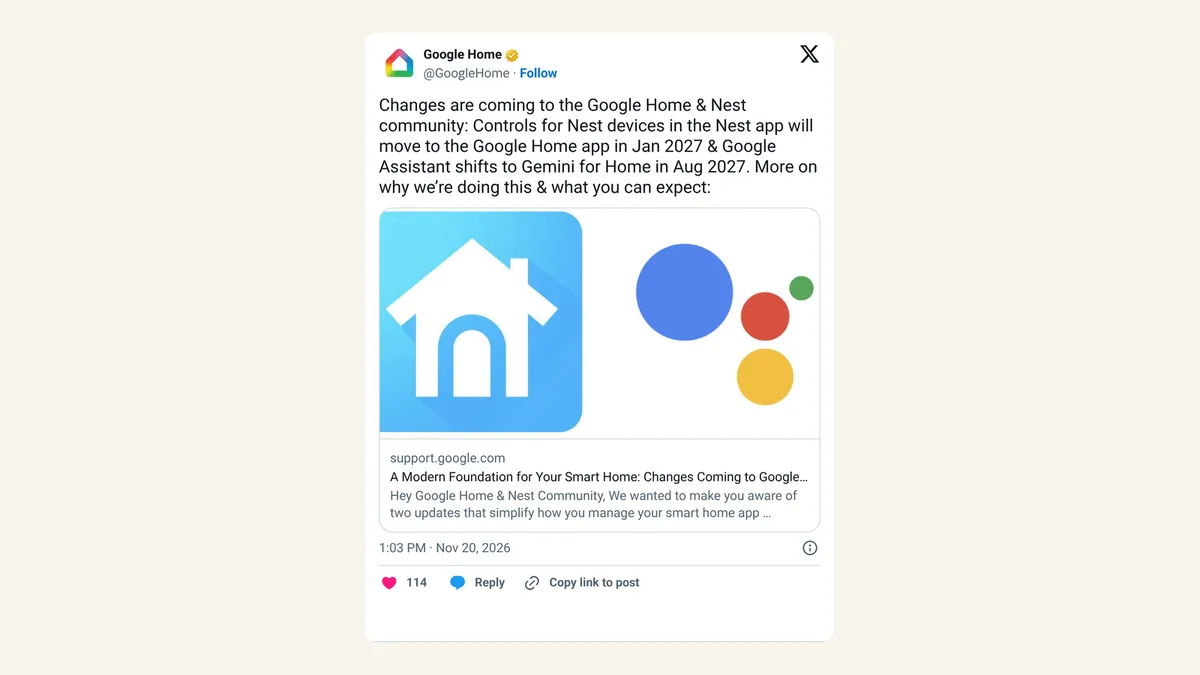
Changes are coming to the Google Home & Nest community: Controls for Nest devices in the Nest app will move to the Google Home app in Jan 2027 & Google Assistant shifts to Gemini for Home in Aug 2027. More on why we’re doing this & what you can expect: https://t.co/Oj0LVF3DNt
— Google Home (@GoogleHome) November 20, 2026
Google is making some big changes to its smart home offerings, including killing the Nest app. https://t.co/ATkekJyjrm
— The Verge (@verge) November 20, 2026
Our take
One app for everything is overdue. Nest owners have juggled two apps for years, and Google gives more than two months' notice before the switch and four before any data gets deleted. That's a fair runway.
Two parts deserve louder warnings than a help page. Saved clips that just vanish if you don't download them, and accounts deleted for missing a sign-in step, will catch people who never read Google's emails, like the landlord or the shop owner whose camera was set up years ago by someone else. The Gemini swap is the bigger story long term. Google is putting a chatbot on every kitchen counter, and we'd like to see it prove it can set a timer as reliably as the old Assistant before August.
— Artificially Nerdy
What to do now
- Install the Google Home app on your phone and sign in with a Google Account.
- Check how you sign in to Nest. "Sign in with Nest" and a separate password means you still need the one-time "Migrate to a Google Account" step in the Nest app settings.
- Download saved clips from home.nest.com with "Download All" if you have older Nest cameras or doorbells.
- Running a shop or rental? Find out whose account the cameras sit on, and make sure that person moves them.
- Leave Nest Aware (1st gen) alone. It switches over by itself; watch for Google's email.
FAQ
Can I move my Nest devices to Google Home before January 25, 2027?
Yes. Google says you can transfer them early, and thermostats, locks and smoke alarms appear in Google Home on their own once your Nest account is linked to a Google Account.
Can I use a work Google Workspace account with Google Home?
Yes, but Google warns you "may not have full functionality." It recommends a personal Gmail account for all features.
Can I still watch my Nest cameras on a computer?
Yes. After the move, home.google.com shows live streams and video history, and lets you download clips up to 5 minutes long.
Do I have to pay for Gemini for Home?
No. Google calls the upgrade "quick, free, and available across all devices."
Sources
- Google Home & Nest Help: Nest app transition to the Google Home app — dates, account migration, saved clips, supported devices, Nest Aware, Workspace and ADT answers.
- Google Home & Nest Community: A Modern Foundation for Your Smart Home: Changes Coming to Google Assistant and Nest App — Google Home & Nest Team, November 20, 2026. August 2, 2027 Gemini for Home date, upgrade steps.
- The Verge: Google says it’s going to shut off Google Assistant on smart speakers next year — Jay Peters, November 20, 2026.
- Google Home on X — November 20, 2026, ~1:03pm ET.