TL;DR
What did Opera launch, and can I use it?
Opera added free AI that runs on your own computer to its browser on Tuesday. Your page data can stay on your machine, and developers pay nothing per use. If you use Opera on a newer PC or Mac, you can try it, but it's an early test.
What is Opera WebAI?
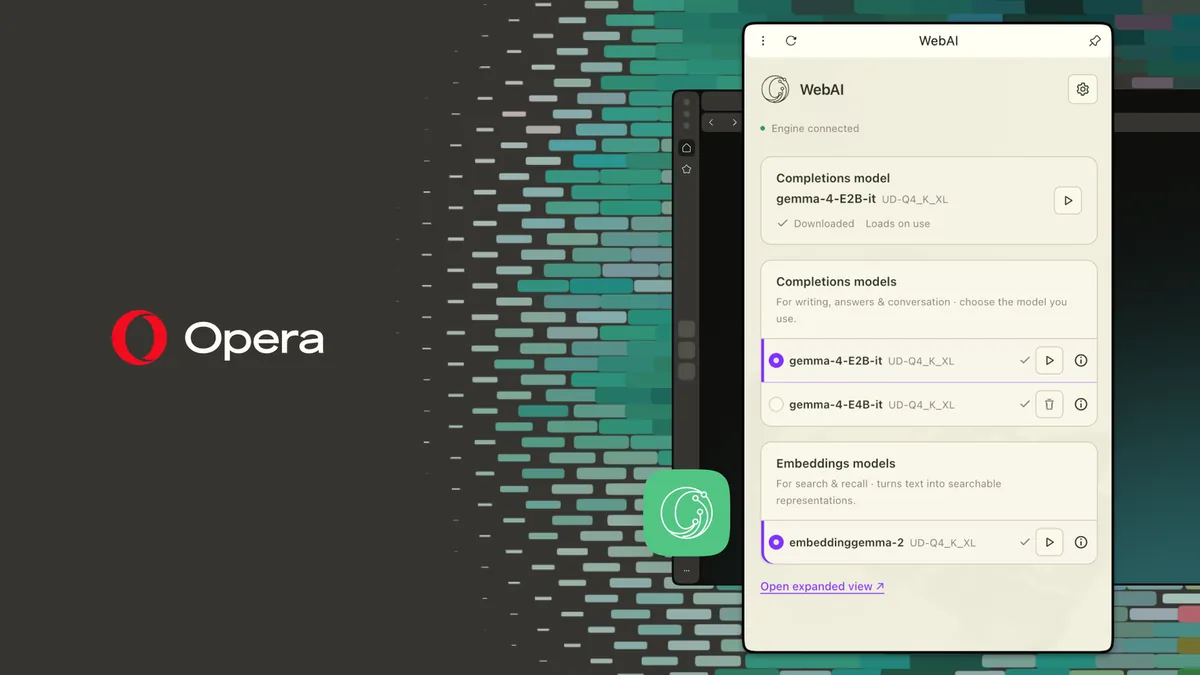
WebAI lets websites and browser extensions use an AI model that runs locally, meaning on your own computer instead of a company's servers. Opera launched it on October 27, 2026, in early preview across Opera One, Opera GX and Opera Neon. It shipped in Opera 139.
There's no separate app to install, no server to set up and no API key, the password-like code developers normally need to use a paid AI service. Opera says WebAI works with different local models, including open-weight models Opera provides and compatible models already on your device.
Opera calls WebAI "a proposed web standard, backed by companies including Google and Microsoft." It's still only a proposal, and Chrome, Edge and Safari haven't shipped it.
How do I turn on WebAI in Opera?
- Update to the latest Opera One.
- Go to Settings, then Opera AI, and turn on Enable Web AI API. This downloads a local model, so it can take a few minutes.
- Install one of Opera's example extensions and open it from your extensions menu.
It's opt-in. Nothing downloads until you turn it on, and you can turn it off anytime. It works on 64-bit Windows PCs with Intel or AMD chips and Macs with Apple silicon. It doesn't work on Intel Macs, Linux or Windows on Arm.
Opera's six example extensions are toys on purpose. One, Got It?, writes a quick quiz about the article you just read.
Why it matters for small businesses and solo developers
If you handle client info, local AI means the text it reads doesn't have to go to a cloud AI company. That's the same reason people run tools like Whisper on their own laptop for transcripts.
For developers, Opera lists three building blocks: Prompt (write text), Decision (sort or classify things) and Semantic Embeddings (find related pieces of content). There are no per-request cloud costs and no AI servers to run.
The tradeoff is speed and smarts. Opera says response time depends on your computer, and local models are still getting lighter and faster.
Our take
Free AI that never leaves your laptop is the right idea, and Opera deserves credit for shipping it to regular users. The problem is reach. A feature only one browser supports is hard to build a business tool on, because most of your customers won't have it.
So treat this as a sneak peek. If you use Opera, turn it on and see what a small local model can do for you. If you build things, it's a cheap way to try a private AI feature, as long as you don't need anyone outside Opera to use it yet.
— Artificially Nerdy
What to do this week
- Try it if you already use Opera on a supported computer. It's free and you can switch it off.
- Developers can read Opera's docs at next.opera.com/web-ai before building anything.
- Keep client work in tools you trust for now. This is an early preview.
- Watch whether Chrome or Edge add the same feature. That's when it becomes useful for customer-facing tools.
FAQ
Is Opera WebAI free?
Yes. The model runs on your computer, so there's no API key or per-request cost. It does use your computer's own processing power.
What computers can run Opera WebAI?
It runs on 64-bit Windows PCs with Intel or AMD chips and on Macs with Apple silicon. It doesn't work on Intel Macs, Linux or Windows on Arm.
Will WebAI work in Chrome?
Not today. Opera calls it a proposed web standard backed by Google and Microsoft, but only Opera has shipped it.
Sources
- Opera: WebAI: Local AI for the web, now in Opera: every WebAI detail, setup step, supported system, API name and example extension in this post.
- Opera: Opera 139 Stable: WebAI launched in Opera 139.
- Opera: Web AI in Opera: Opera's developer docs for WebAI.