TL;DR
Can you text ChatGPT on iMessage now?
OpenAI now lets some ChatGPT users text their personal AI helper, called a dot, over iMessage or RCS. If you pay for Pro in the US, you can send it tasks, photos and voice notes like any contact. Everyone else has nothing to do yet, but you can list a few errands to hand it later.
What happened
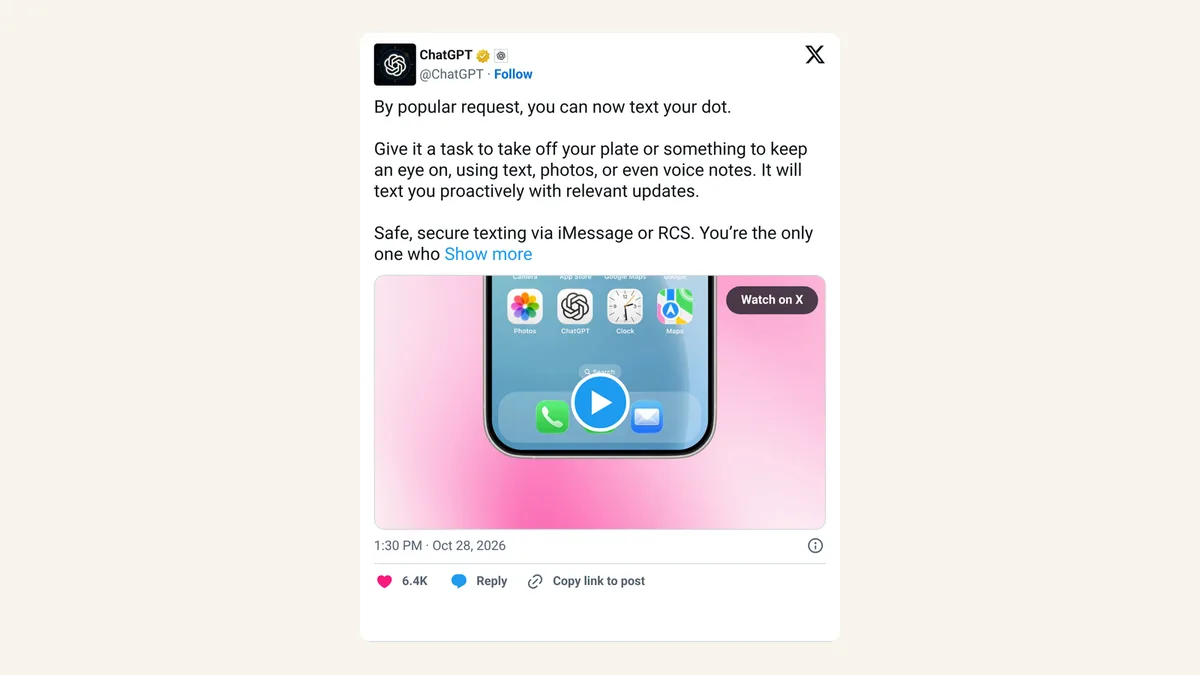
On October 28, 2026, OpenAI started letting people text their dot, the personal ChatGPT agent that can take on tasks and keep an eye on things for you. You add it like a contact and message it through iMessage on an iPhone or RCS on Android. RCS is the newer texting standard on Android phones that supports photos, typing dots and longer messages.
You can send it text, photos and voice notes. OpenAI says the dot can also text you first with updates on tasks it's watching. If it needs your OK before doing something, it sends a link so you can review the request inside ChatGPT.
The feature is rolling out now to ChatGPT Pro users in the US. OpenAI's post on X calls it a preview, and its help page calls it a beta.
How do I set up texting with my ChatGPT dot?
OpenAI's help page lists three steps:
- Open your dot's profile in the ChatGPT mobile app, desktop app or a desktop browser, and select Texting.
- Enter your phone number and verify it.
- Save the dot's contact card when it arrives, then send it a message.
On iPhone, send from the same number you verified. On Android, turn on RCS in your messaging app first.
Can my ChatGPT dot read my other texts?
No, according to OpenAI. The company says setting up texting doesn't give the dot or OpenAI access to your other text conversations. Only you can text your dot, and your dot can only text you.
What it does carry over is context. The dot uses what it knows from your ChatGPT conversations and other connected channels, plus any plugins you've connected, so a text picks up where your last chat left off. If you've linked it to work tools, keep that in mind before you forward something from a client.
What texting your dot can't do yet
Texting is one-to-one only. OpenAI says group chats, phone calls and FaceTime aren't supported through texting, though you can still call your dot inside the ChatGPT app. And it's limited to Pro users in the US for now, so most people reading this can't switch it on yet. OpenAI hasn't said when it will reach other plans or countries.
X reactions
OpenAI announced the feature from its ChatGPT account, and Tibo, who leads Codex at OpenAI, shared how he uses it.
Our take
Texting is where a lot of small business already happens. Customers text, suppliers text, and the receipt you need to log is usually a photo in your camera roll. An assistant that lives in the same thread as all that, and can ping you when a delivery slips or a price drops, fits how busy people actually work better than one more app to open.
The catch is trust. A dot that texts you first is handy until it texts you about the wrong thing, or acts on a forwarded message you only meant to file. If you get access, start with low-stakes watching jobs and keep anything that spends money or contacts people behind the approval link. For everyone else, there's nothing to do today except decide what you'd want it to keep an eye on when it reaches your plan.
— Artificially Nerdy
What to do this week
- Pro users in the US: open your dot's profile, select Texting and try one small job, like "text me if this order hasn't shipped by Friday."
- Forward a photo or receipt and ask the dot to log it, then check in ChatGPT that it filed it where you expected.
- Set your channels on purpose. OpenAI says you can ask the dot to text only when something needs your attention and keep routine updates in ChatGPT.
- Keep approvals on for anything risky, and read our 7 rules for keeping AI agents on a short leash before you hand it bigger jobs.
- Not on Pro? Nothing to do yet. Note one or two errands you'd text it, so you're ready if it reaches your plan.
FAQ
Does texting my dot work on Android?
Yes, through RCS. OpenAI says to turn on RCS in your phone's messaging app before you start. Plain SMS isn't mentioned as an option.
Is texting my dot available on ChatGPT Plus?
Not yet. OpenAI says it's rolling out to Pro users in the US only, and it hasn't given a date for other plans.
Can I talk to my dot in Slack or Teams too?
Yes. OpenAI's help page says you can message your dot in Slack and Microsoft Teams as well, and it's the same dot with the same memory across every channel.
Do I need to use my verified number to text it?
On iPhone, yes. OpenAI says to send iMessages from the phone number you verified during setup, or the dot won't know it's you.
Sources
- ChatGPT Learn: Text your dot — the official "What's new" note on texting, availability and approval links.
- ChatGPT Learn: Message your dot — setup steps, privacy limits, Slack and Teams, and what texting doesn't support.
- ChatGPT on X — the October 28, 2026, announcement (1:30 PM ET).
- ChatGPT on X — the follow-up post on setup and access to other texts (1:36 PM ET).
- Tibo on X — his October 28, 2026, post on using the feature (9:49 PM ET).
- The Verge: OpenAI now lets you text your dot — news report on the launch.