
TL;DR
What is Claude's "Install as app"?
Claude's new Mac and Windows beta turns an artifact (a tool it builds beside the chat, like a tracker) into a desktop app with its own icon and window. It's rolling out on every plan, Free included. Start with a small daily tool, and keep "Full access to this computer" off unless you wrote the app yourself.
What did Anthropic announce?
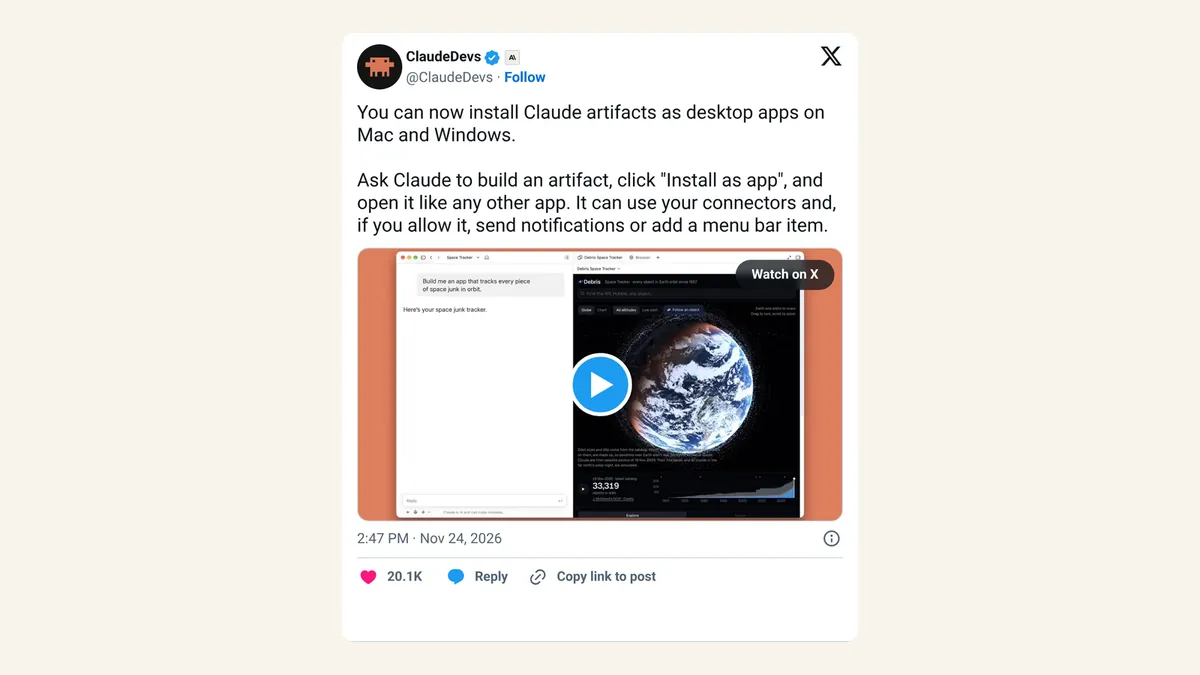
On Tuesday, November 24, 2026, Anthropic started rolling out "Install as app" in beta in Claude for Mac and Windows. Its developer account, @ClaudeDevs, posted the news on X at 2:47pm ET.
The idea is simple. You ask Claude to build something, try it as an artifact, then pick "Install as app." The artifact now opens in its own window instead of inside Claude, and you can find it like any other app. Anthropic says you don't have to package or sign anything, and the app uses your Claude account, so there's no API key or separate login.
Anthropic says people already use artifacts as everyday tools, giving the examples of a meeting prep page that pulls from your calendar and email, and a tracker for orders that need to ship that day. This update lets those tools live next to the rest of your apps and ping you when something needs attention.
What an installed app can do
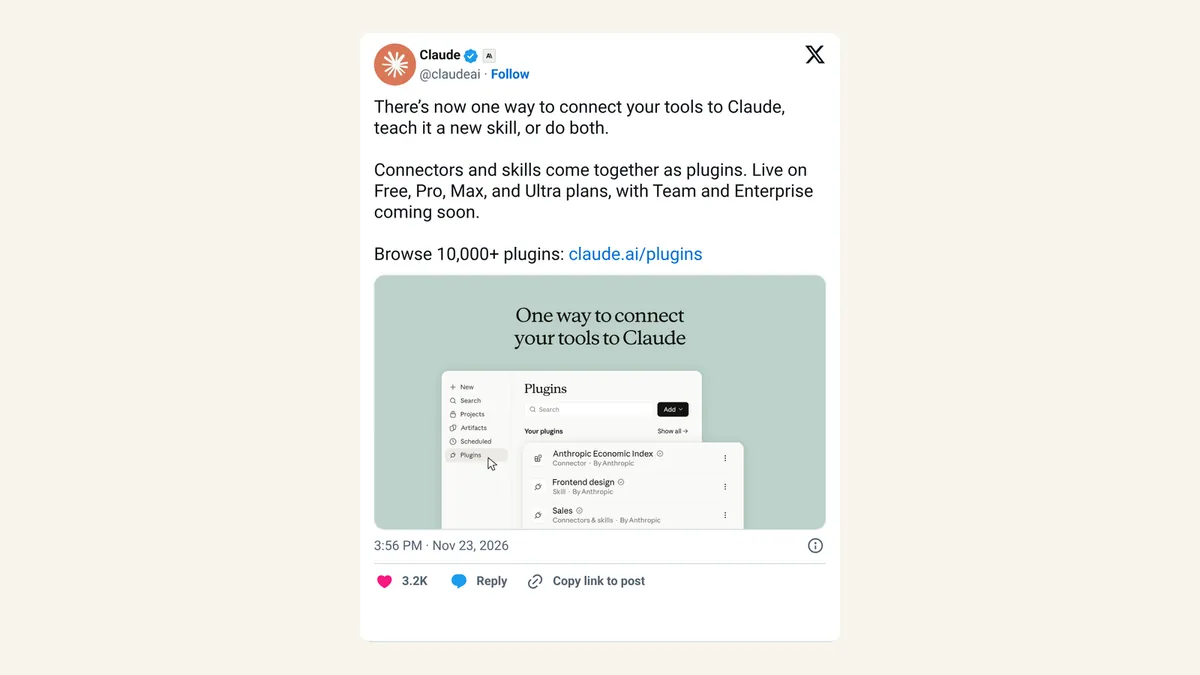
- Use Claude and your connectors. An app can call Claude and reach your connected apps the same way the artifact does. (Connectors now live on Claude's new Plugins page.)
- Update itself. It's still the same artifact underneath, so when you or another editor changes it, the app changes too.
- Be shared. You can share an app with other people.
- Work outside its window, if you allow it. With your OK, an app can send notifications, respond to keyboard shortcuts, float over other windows, or add a menu bar item (Mac) or system tray icon (Windows).
The Help Center guide suggests requests like "Make a Pomodoro timer that lives in my menu bar" or "Make a Windows app that renames the photos in a folder by date." Anthropic staff have also shown off bigger builds, including a layered image editor and a menu bar app for checking your computer's performance.
Who can get it, and what you need
| Question | Answer |
|---|---|
| Status | Beta, rolling out |
| Plans | Free, Pro, Max, Ultra, Team and Enterprise |
| Computers | Mac and Windows only (not Linux, web or mobile) |
| App version | Claude for Mac or Windows 6.28899.0 or later |
| To open an app | You must be online and signed in to Claude Desktop |
| Team plans | On by default; full computer access off until an admin turns it on |
| Enterprise plans | Off until an owner turns it on in Organization settings > Artifacts |
| Usage | Building an app and every request it makes to Claude count toward your plan's limits |
Some artifacts can't be installed yet, including ones made from Claude's Docs, Slides or Sheets templates. Organizations with HIPAA-ready setups can't use it at all, and full access isn't offered in Claude for Teachers or to K-12 organizations.
How to install one
- Update Claude Desktop (Mac: Claude > Check for Updates; Windows: the ☰ menu, then Help > Check for Updates).
- Open the artifact in the main Claude Desktop window.
- Open the artifact's title menu or right-click it, and choose "Install as app." It's also under Share.
- Click "Install" to confirm.
On a Mac, the app lands in a Claude Apps folder inside the Applications folder in your home folder, and you can keep it in the Dock. On Windows, it shows up in the Start menu and as a desktop shortcut. To remove one, go to File > Apps in Claude Desktop, pick the app and choose "Uninstall." That removes the app and its permissions but keeps the artifact.
The permissions, in plain words
Anthropic describes three levels:
| Level | What the app can do |
|---|---|
| Default | Only what it could do in a web browser |
| App permissions | Ask to send notifications, listen for keyboard shortcuts, float over other windows, or add a menu bar or tray item |
| Full computer access | Run programs and read, change or delete your files without asking each time |
You answer each request with "Allow" or "Don't allow." An "Allow" covers only the current version, so Claude asks again after any update, even your own edits. There's one catch Anthropic spells out: if part of an app loads code from another website, that part can change without Claude asking again.
Full access is the one to treat carefully. Anthropic says it doesn't review apps before you install them. On Free, Pro, Max and Ultra plans, you can only give full access to apps you made yourself. On Team and Enterprise, it's apps made by people in your organization.
X reactions
Derya Unutmaz, who is not at Anthropic, wrote that it removes "the painful friction in app development for Mac or Windows," and hoped something similar would come to the iPhone and iPad.
Wow! This is great! Claude artifacts as desktop apps are a game changer as they remove the painful friction in app development for Mac or Windows! Next, it would be super cool to have something similar for the iPad/iPhone ☺️ https://t.co/VnsHD1SJcK
— Derya Unutmaz, MD (@DeryaTR_) November 24, 2026
Felix Rieseberg, who builds at Anthropic, shared a set of demo apps he made with it.
Big news: You can now build and share Mac & Windows apps with Claude. No coding skills needed!
— Felix Rieseberg (@felixrieseberg) November 24, 2026
These apps can use OS APIs, connectors, and Claude. If you got ideas, you can now make Claude-powered apps!
I made some fun demos: https://t.co/aKzHuVxYZ3 https://t.co/0BuddittfE
Our take
This is a nice step for anyone who already leans on Claude for little tools. A price calculator, a content calendar or a daily order checklist is more useful when it sits in your Dock or taskbar and can nudge you, and you get there without learning to code or publish an app. Because it's on the Free plan too, it's an easy thing to try this week.
Two things keep it grounded. Every app needs you online and signed in, and every request it makes to Claude eats into your plan's limits, so a chatty app on a Free plan may hit the wall faster than you expect. And full computer access is a real power: an app with it can delete files without asking. Stick to the default or the lighter app permissions for anything someone else built, and save full access for tools you wrote and understand.
If your team wants to share these, think of them like any shared spreadsheet: someone owns it, and edits reach everyone. That's handy, as long as the person editing it is careful.
— Artificially Nerdy
What to do this week
- Update Claude for Mac or Windows to 6.28899.0 or later, then look for "Install as app" on an artifact.
- Build one small tool you'd open daily, like a timer, a checklist or a quote calculator, and install it.
- When an app asks for permissions, start with "Don't allow" and turn things on only as you need them.
- Keep full access off for any app you didn't write yourself.
- Team or Enterprise admin? Decide whether to turn full access on before staff start asking.
- Want something that runs without your computer on? Our no-code automation tools guide covers other options, and if you plan to put an AI-built app on the web, read how to put an AI-built app online safely.
FAQ
Is Claude's Install as app free?
Yes, it's rolling out in beta on the Free plan as well as Pro, Max, Ultra, Team and Enterprise. Building an app and its requests to Claude count toward your plan's usage limits.
Why don't I see "Install as app"?
It's still rolling out, and you need Claude for Mac or Windows 6.28899.0 or later. On Enterprise plans it's off until an owner turns it on, and some artifacts, such as ones made from the Docs, Slides or Sheets templates, can't be installed.
Does it work on my phone or on the web?
No. At launch, installed apps work only in Claude for Mac and Windows, not on Linux, the web or mobile.
Is it the same as adding a website to my Dock?
No. Anthropic says the browser's "Add to Dock" or "Add to Home Screen" only adds a shortcut, without the notifications, menu bar items and other desktop features.
Is it safe to give an app full computer access?
Only if you trust everyone who wrote it. Anthropic says it doesn't review apps before you install them, and an app with full access can run programs and read, change or delete your files. On personal plans, full access is limited to apps you made yourself.
Sources
- Anthropic: Turn artifacts into Mac and Windows apps — November 24, 2026. Beta rollout, own icon and window, sharing, connectors, auto-updates, three permission levels, no packaging or API key, all plans, Team and Enterprise defaults, staff demo apps.
- Claude Help Center: Install an artifact as an app — checked November 24, 2026. Plan list, version 6.28899.0, install and uninstall steps, where apps live, permission list, full-access rules, usage limits, current limitations.
- ClaudeDevs on X — November 24, 2026, 2:47pm ET. Official announcement with demo video.
- 9to5Mac: Anthropic just gave Claude users a new way to make Mac apps — November 24, 2026.
- Derya Unutmaz (@DeryaTR_) on X — November 24, 2026, 3:55pm ET. Outside reaction.
- Felix Rieseberg on X — November 24, 2026, 2:26pm ET. Anthropic staff demo apps.