
TL;DR
What's new in ChatGPT Images 2.6?
OpenAI released ChatGPT Images 2.6 on November 4. It can turn a prompt, photo or sketch into a looping GIF, and it makes images about 50% faster. It works on every ChatGPT plan, even Free, and GIFs are rolling out now, so try a short one of your logo or product this week.
What's new in ChatGPT Images 2.6?
OpenAI released Images 2.6 on Wednesday, November 4, 2026, in ChatGPT, in Codex (OpenAI's coding agent) and in its API, the paid connection developers use to build OpenAI's models into their own apps. Its developer account pushed the GIF feature again on Friday.
- Animated GIFs. Turn a prompt, a photo or a rough sketch into a looping animated GIF, then adjust its speed and edit single frames.
- Faster images. OpenAI says images come out about 50% faster, and its quicker model, Flare, can make one in as little as 6 seconds at low quality.
- Steadier characters and brands. Characters, products and brand details stay more consistent as you edit. OpenAI's help page also shows how to save a reference photo and call it up in a later chat by typing @ and its name.
- Photo markup. You can mark the spot on a photo you want changed. OpenAI's launch post says markup was already in ChatGPT and now comes to the API too.
- More control over speed. The same report says you can pick a reasoning effort level in ChatGPT's model picker, trading a little time for more planning.
Who can use ChatGPT Images 2.6?
Everyone. Images 2.6 is on all ChatGPT plans, Free included, on the web, desktop and mobile apps. GIF creation is still rolling out in ChatGPT, so it may not show up in every account yet. OpenAI hasn't said how many images or GIFs each plan gets, so Free users should expect limits they'll only find by hitting them.
The scale is big. OpenAI says people create 4 billion images a week across ChatGPT, Codex and the API.
How do you make a GIF in ChatGPT?
Start from a prompt, a photo or a sketch, and ask for an animated GIF. OpenAI's own advice for developers works well in a chat too: describe the subject, the motion and how the loop should end. "Our logo spins once and settles back to the start" gives the model much more to work with than "animate this."
Once you have a GIF, you can change its speed and edit individual frames instead of starting over. For a small business, that means a waving mascot, a product shot that turns in place or a sale banner that blinks, made without a designer or a video app.
What do developers get in the API?
The API has two image models, GPT-Image-2.6 Flare for speed and GPT-Image-2.6 Sunburst for more detail and precise edits. Both can produce GIFs, SVG files and markup-guided edits, according to OpenAI's API guide. SVG is a vector format, made of shapes instead of pixels, so icons and logos stay sharp at any size and can be edited later.
GIF output has three main settings:
| Setting | Range | Default |
|---|---|---|
| Frames per GIF | 2 to 16 | 9 |
| Time per frame | 20 to 2,000 milliseconds | 200 milliseconds |
| Frame size | auto, or a custom width and height | auto |
At the defaults, one loop lasts 1.8 seconds. Developers can also set a "complexity" level (low, medium or high) to control how much the model plans before drawing, and OpenAI says that setting carries no separate fee. API prices are on OpenAI's pricing page. Some developers may need to verify their organization in the developer console before they can use the image models.
Are ChatGPT GIFs safe, and can people tell they're AI?
OpenAI's safety report says GIFs bring risks a still image doesn't, because meaning can build across frames. It added GIF-specific checks and blocks some content in GIFs more broadly than in still images. It also admits that "motion-related violations remain challenging to detect, and the safeguards may not catch all violations."
For labeling, OpenAI says Images 2.6 output carries C2PA metadata, a standard tag that records where a file came from, plus an invisible SynthID watermark from Google DeepMind. Both work across ChatGPT, Codex and the API. Some apps strip metadata when you upload, so don't count on the tag surviving every repost.
X reactions
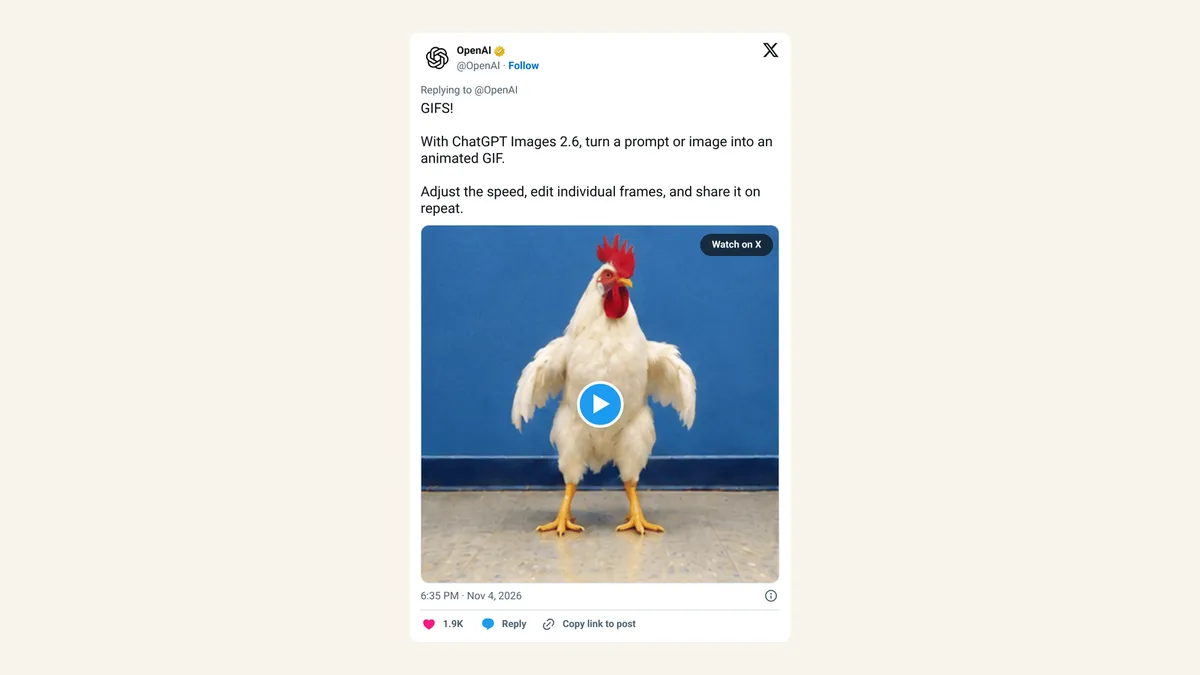
OpenAI led with the GIFs on launch night, and its developer account followed up on Friday.
GIFS!
— OpenAI (@OpenAI) November 4, 2026
With ChatGPT Images 2.6, turn a prompt or image into an animated GIF.
Adjust the speed, edit individual frames, and share it on repeat. https://t.co/i4hsLoapx3
Everyone, or every team, can create GIFs with GPT-Image-2.6.
— OpenAI Developers (@OpenAIDevs) November 6, 2026
https://t.co/rJIMLuDrPT
Our take
GIFs sound like a toy feature, and for a lot of people they'll be exactly that. For a café, a shop or a solo creator, though, a short loop is often the most useful image they make all week: it catches the eye in a feed, an email or a product page. Putting that on the Free plan, with frame-by-frame edits, removes a real cost for people who would never open a video editor.
The update we'd use most is the less flashy one. Steady characters and brand details across edits are what make AI images usable for a business, because a mascot that changes face every time is worse than no mascot. We'd still check every GIF frame before posting, since OpenAI says its own safety checks miss some motion problems, and we'd wait for clear plan limits before building a weekly routine around it.
— Artificially Nerdy
What to do this week
- Make one GIF of your logo, mascot or best-selling product. Any ChatGPT plan works once GIFs reach your account.
- Save a reference photo of your brand character or product, and call it up with @ and its name each time so details stay consistent.
- Write the motion into the prompt. Say what moves, how fast and how the loop ends.
- Check each frame before you post. A strange hand or warped label in one frame is easy to miss at full speed.
- Compare before you pay for a separate image app; our image generation tools list shows the alternatives.
- Developers: try SVG output for icons, and start GIFs at the default 9 frames.
FAQ
Is ChatGPT Images 2.6 free?
Yes. It's on every ChatGPT plan, including Free. OpenAI hasn't published how many images or GIFs each plan allows.
What's the difference between Flare and Sunburst?
Flare is built for fast results and quick drafts. Sunburst takes more care with detail and precise edits. ChatGPT users get both through the app, and developers pick one by name in the API.
Can I turn my own photo into a GIF?
Yes. OpenAI says you can start from a photo, a prompt or a rough sketch. ChatGPT can't edit an animated GIF you upload, though, only GIFs it made.
Do ChatGPT GIFs have a watermark?
They carry an invisible SynthID watermark and C2PA metadata, according to OpenAI. Neither is meant to be seen in the image itself.
Sources
- OpenAI: Introducing Images 2.6 — November 4, 2026. GIF creation from prompts, photos and sketches; speed and frame edits; 50% faster; Flare in as little as 6 seconds; consistency across edits; image markup coming to the API; all ChatGPT tiers on desktop, mobile and web; 4 billion images a week.
- OpenAI API docs: Image generation — Flare and Sunburst, SVG output, GIF settings, complexity, organization verification.
- OpenAI Help Center: Images in ChatGPT — checked November 8, 2026. Available on all tiers, GIF creation rolling out, playback speed, no edits to uploaded GIFs, saved reference photos with @.
- OpenAI Deployment Safety Hub: ChatGPT Images 2.6 System Card — November 4, 2026. Photo markup, reasoning effort, GIF safeguards and limits, C2PA and SynthID.
- OpenAI on X — November 4, 2026, 6:35pm ET.
- OpenAI Developers on X — November 6, 2026, 6:46pm ET.