
TL;DR
What is the best free alternative to Adobe Acrobat?
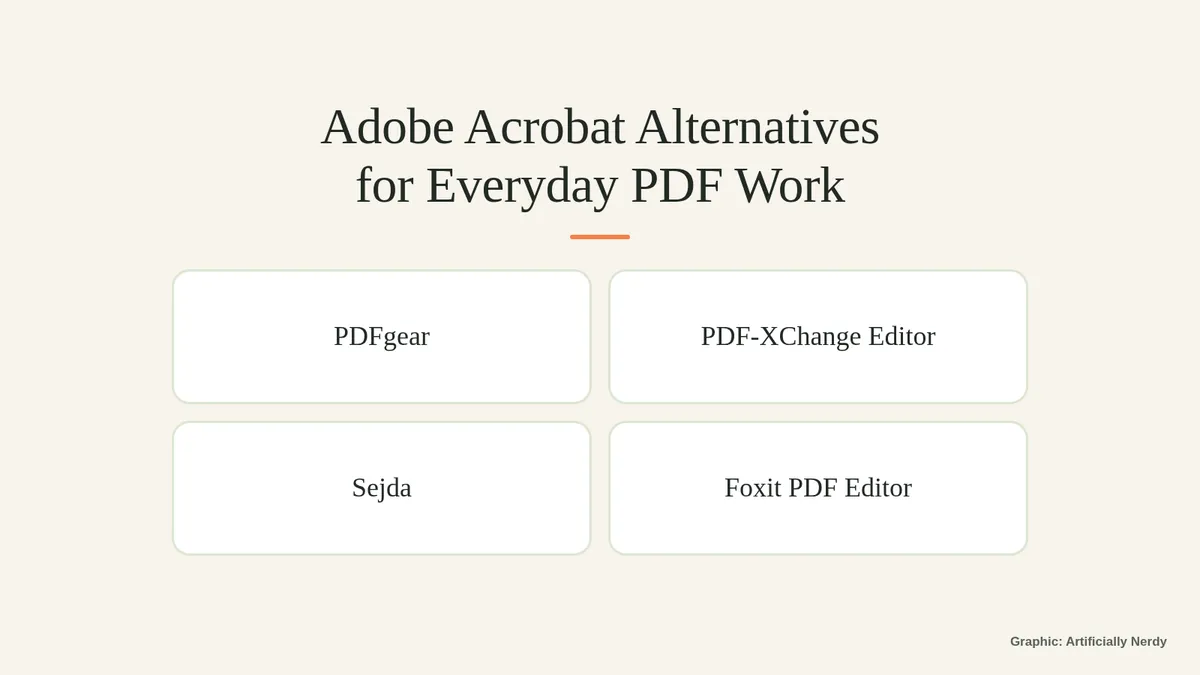
For most people, PDFgear. It says it lets you read, edit, convert, merge and sign PDFs for free, with no sign-up, on Windows, Mac, iPhone, iPad and Android. If you only need to sign or fill in a form, you may not need a new app at all: the free Adobe Acrobat Reader and the Preview app on every Mac both do it. If you want a full paid editor for less, look at Foxit PDF Editor or PDF-XChange Editor.
Which tool for which job
| If you mostly need to... | Try | Why |
|---|---|---|
| Edit PDF text and images for free | PDFgear | Free editing, merging, signing and converting, no account |
| Sign or fill in a form | Acrobat Reader (free) or Mac Preview | Both sign and fill forms at no cost |
| Merge or split files in a browser | iLovePDF or PDF24 Tools | Free online tools, nothing to install |
| Edit a PDF once, in the browser | Sejda | Change existing text, add images, sign, then download |
| Get a full Acrobat-style editor for less | Foxit PDF Editor | Edits, converts, OCRs, signs; subscription or one-time license |
| Keep editing on Windows without a subscription | PDF-XChange Editor | Big free version; paid license is a one-time purchase |
| Have a long PDF explained | ChatPDF, AskYourPDF or Humata | Free chat-with-PDF plans |
Facts come from each company's own pages, checked November 24, 2026. We've left the dollar amounts out, so see each official pricing page for today's figures.
What do you actually use Acrobat for?
Before you shop, it helps to know which job you're paying for. Adobe's own Reader page draws the line clearly: the free Acrobat Reader lets you view, comment, highlight, fill out forms and sign PDFs, but editing text and images needs a paid Acrobat Standard or Pro subscription. So if you mostly sign and fill in forms, you can stop paying today and keep using Adobe's own free app.
The rest of this page is for the jobs Reader won't do: editing, merging, converting and heavier office work.
Adobe Acrobat alternatives at a glance
| Tool | Edit text and images | Sign | Merge pages | Free option | Platforms |
|---|---|---|---|---|---|
| PDFgear | Yes | Yes | Yes | Free, no sign-up | Windows, Mac, iOS, Android, web |
| Foxit PDF Editor | Yes | Yes (fill and sign; eSign in Editor+) | Yes | Free trial, free Foxit PDF Reader and online tools | Windows, macOS, web (mobile in Editor+) |
| PDF-XChange Editor | Yes | Yes | Yes | Free version with about 70% of features unrestricted | Windows 10 and later |
| Sejda | Yes | Yes | Yes | Free online use with a limited number of saves | Web, desktop app |
| iLovePDF | Basic | Yes; digital signatures on Premium | Yes | Core tools free, limited processing | Web, mobile, desktop |
| PDF24 Tools | Basic | Yes | Yes | All tools free, ad-supported | Web, plus PDF24 Creator for Windows |
| Mac Preview | Text boxes and markup | Yes | Yes | Built into macOS | Mac |
| Acrobat Reader | No | Yes | No | Free | Windows, Mac, iOS, Android, web |
The best free PDF editors
PDFgear
PDFgear is the closest thing to a free Acrobat on the official pages cited here. The company says you can read, edit, convert, merge and sign PDF files "for completely free and without signing up." You can edit text, images, links and form fields, highlight and comment, convert between PDF and Word, Excel, PowerPoint, JPG and TXT, and run OCR on scanned pages in 30-plus languages. There's also a built-in AI helper that can summarize a document or answer questions about it.
It runs on Windows, Mac, iPhone, iPad and Android, and it has free online tools for quick jobs like merging, splitting and compressing.
Good pick if: you want one free app that edits, merges and signs, without making an account.
PDF-XChange Editor (Windows)
PDF-XChange Editor is a long-running Windows editor with a generous free version. The company says 70% of its features are unrestricted in the free download, and its feature list counts 257 free features out of 402. Recent versions added a tool for adding signatures and initials, plus an AI Assistant that works with OpenAI, Anthropic or Google models, but only if you bring your own API key.
When you're ready to pay, it's a one-time perpetual license rather than a subscription. Maintenance renewal for updates is optional. There's also an Editor Plus license that adds fillable form creation, document compare and a stronger OCR engine.
Good pick if: you're on Windows and would rather pay once than every month.
Sejda
Sejda is a browser-based editor that can change existing text (not just add new text on top), add images and links, fill in and add form fields, white out sections, find and replace words, and add a typed, drawn or uploaded signature. A Sejda Desktop app does the same work offline, so your files never leave your computer.
The free online version limits how many times you can save within a set number of hours. Sejda also sells a one-time Week Pass that doesn't renew, plus monthly and yearly plans. One honest caveat from Sejda itself: it doesn't guarantee that signatures made with its tool are legally binding, and its whiteout tool hides content but doesn't fully remove it, so don't use it to redact sensitive data.
Good pick if: you edit a PDF now and then and don't want to install anything.
Free tools for signing and filling in forms
Adobe Acrobat Reader
Yes, Adobe's own free app belongs on a list of Acrobat alternatives. Reader is free with no subscription, and it lets you fill out forms, sign by typing, drawing or uploading an image of your signature, and comment, highlight and draw on PDFs. It runs on Windows 10 and 11, macOS 10.15 and later, iOS, Android and in a web browser. What it won't do is edit the text and images in a PDF.
Preview on Mac
If you're on a Mac, Preview is already installed. Apple's guide shows how to fill out PDF forms (with AutoFill from your Contacts card), sign with your trackpad, your Mac's camera, or your iPhone or iPad, and combine PDFs by dragging page thumbnails from one file into another. Your signatures sync to your other Macs through iCloud Drive.
One tip from Apple: Preview saves changes automatically, so duplicate your PDFs before you merge them if you want to keep the originals.
Good pick if: you sign, fill in and merge PDFs on a Mac and want nothing new to install.
Free online tools for merging, splitting and converting
iLovePDF
iLovePDF is a web, mobile and desktop toolkit for merging, splitting, organizing pages, converting and watermarking. The free Basic plan gives you the essential tools with limited document processing. Premium adds unlimited processing, digital signatures, workflows, no ads and AI credits, and iLovePDF offers a free year of Premium to students and academic professionals.
PDF24 Tools
PDF24 says all of its online tools are free, with no artificial limits, paid for by ads on its pages. Files are encrypted in transit and deleted from its servers within an hour of last use. If you'd rather keep files on your own computer, the PDF24 Creator gives you the same tools offline.
Good pick for both: quick jobs like "merge these three files" or "turn this PDF into Word."
A cheaper paid editor: Foxit PDF Editor
If you really need a full editor, and you work in PDFs every day, Foxit PDF Editor is the most direct swap. It edits text, images and pages, converts to and from Word, Excel and PowerPoint, creates, fills and signs forms, runs OCR, compares two versions of a PDF and adds password protection. It runs on Windows, macOS and the web, and the Editor+ plan adds iOS and Android apps, AI-powered redaction and Foxit eSign with 150 signature envelopes a year.
Foxit's own comparison lists a few differences:
- You can choose a subscription or a one-time perpetual license for Windows and macOS. Foxit says Adobe no longer offers perpetual Acrobat licenses to new customers.
- Every Foxit account gets 300 AI credits a month for summaries and questions, even on the free Foxit PDF Reader.
- The free trial runs 14 days with no credit card.
Foxit also says its paid plans cost less per license than Acrobat Pro. We've left the dollar amounts out, so compare both official pricing pages before you switch.
Good pick if: your team needs everything Acrobat does and the cost per seat matters.
Office suites that open and edit PDFs
If you already want a free Microsoft Office replacement, two suites handle PDFs too.
- WPS Office bundles Writer, Spreadsheet, Presentation and a PDF tool in one free download for Windows, Mac, Linux, iPad, iOS, Android and the web. A free account comes with 1 GB of cloud storage.
- ONLYOFFICE Desktop Editors include a PDF editor and are free and open source (AGPLv3) for Windows, macOS and Linux, with free mobile apps.
For more on these, read our Microsoft Office alternatives page.
AI tools that explain long PDFs
Acrobat now sells an AI Assistant, but PDFgear, PDF-XChange Editor and Foxit all have AI help built in (see above). If explaining a long document is your main job, these chat-with-PDF tools also have free plans:
- ChatPDF: answers cite the page they came from, and it has a free plan.
- AskYourPDF: free for 1 document a day, up to 100 pages, and 50 questions a day.
- Humata: asks across several documents, with answers pointing back to the source. Free for up to 60 pages a month.
Whatever tool you use, check the answer against the page it cites before you rely on it.
How much does Adobe Acrobat cost?
Adobe sells Acrobat Standard and Acrobat Pro as subscriptions, with plans for individuals and teams, while Acrobat Reader stays free. We've left the dollar amounts out rather than guess. Check Adobe's official Acrobat pricing page for today's figures.
Is Adobe Acrobat worth it?
It can be, if you live in PDFs all day, need heavy editing and e-signature tracking, and your company already runs on Adobe. For everyone else, here's the simple version:
- If you only sign and fill in forms, use the free Acrobat Reader or Mac Preview.
- If you need to edit text or merge files, try PDFgear first, or Sejda in your browser.
- If you need a full editor every day, compare Foxit PDF Editor or PDF-XChange Editor with Acrobat before you renew.
Try your real files in the free options before you cancel, so nothing surprises you on deadline day.
If you also take notes on your PDFs, our notes and productivity tools page has more options.
FAQ
Can I sign PDFs for free without paying for Acrobat?
Yes. The free Adobe Acrobat Reader signs and fills in forms, and so do Mac Preview, PDFgear, Sejda and PDF24. For legally tracked e-signatures, check what each tool promises; Sejda, for example, says it doesn't guarantee its signatures are legally binding.
Is there a free PDF editor for Mac?
Yes. PDFgear has a free Mac app, Sejda works in Safari or as a desktop app, and Preview, built into every Mac, fills in, signs and merges PDFs.
How do I merge PDFs for free?
Use PDFgear, iLovePDF or PDF24 Tools online, or on a Mac, drag page thumbnails from one PDF into another in Preview.
Is there a PDF editor I can buy once instead of a subscription?
Yes. PDF-XChange Editor (Windows) and Foxit PDF Editor (Windows and macOS) both sell one-time perpetual licenses.
Can AI summarize a PDF for free?
Yes. PDFgear has a built-in AI helper, every Foxit account gets 300 free AI credits a month, and ChatPDF, AskYourPDF and Humata all have free plans.