
TL;DR
What is the best free AI image generator?
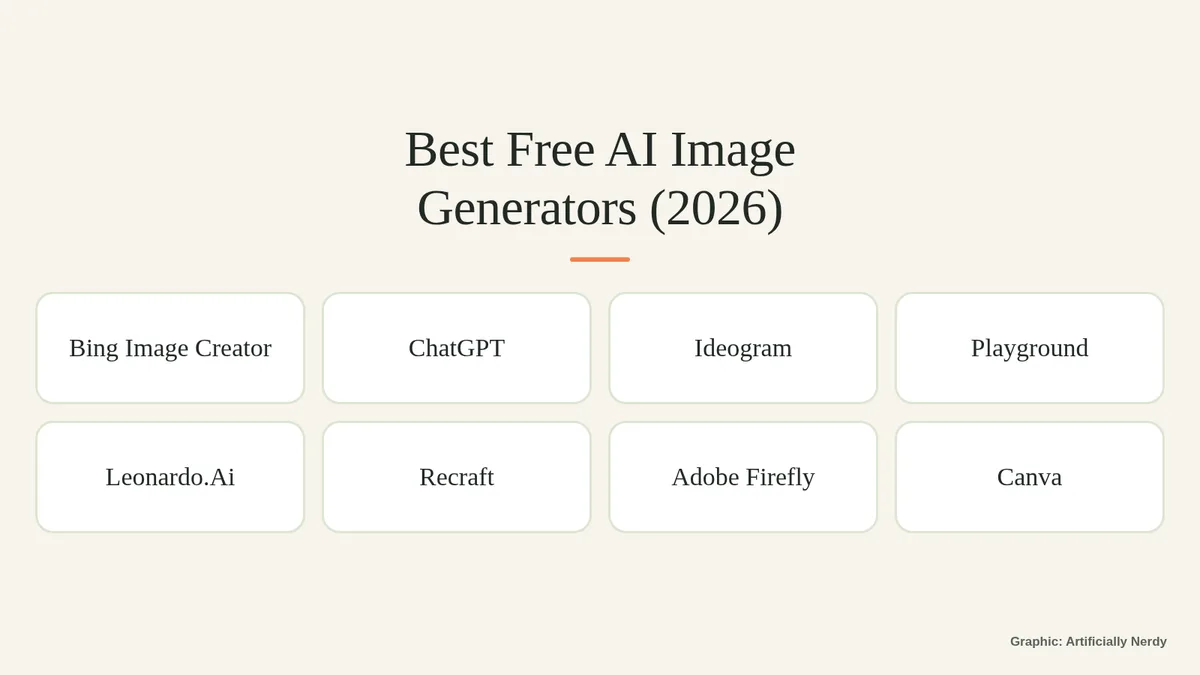
For most people, Bing Image Creator or ChatGPT is the easiest free way to start. Type what you want, and you get a picture back. Pick Ideogram when you need readable text on a poster, or Playground when you want to use the images for your business.
Best free AI image generators at a glance
Tool details come from each maker's official site, as last checked between Oct 26 and Nov 9, 2026. We left paid prices out until our next price check; each maker's pricing page has the current numbers.
| Tool | Free option | Best for | Watch out for |
|---|---|---|---|
| Bing Image Creator | Yes: limited fast creations that refill over time | Quick, no-fuss pictures from a description | Once the fast creations run out, you wait for them to refill |
| ChatGPT | Yes: free tier with limited access to the latest models and tools | Making images inside a chat you already use | Free access is limited, so heavy use hits a wall |
| Ideogram | Yes: free weekly credits | Posters, logos and anything with readable text | Credits come weekly, not daily |
| Playground | Yes: 10 images every 3 hours, plus 3 monthly generations on premium models | Posters, logos and social posts you plan to use commercially | Premium models get only 3 free goes a month |
| Leonardo.Ai | Yes: 150 tokens a day | Trying lots of styles and models | 150 tokens a day is the cap, so big batches wait until tomorrow |
| Recraft | Yes: daily free credits | Icons and editable vector graphics in one brand style | Free images are public and not for commercial use |
| Adobe Firefly | Yes: some free daily generations, per Adobe's help page | People already using Adobe's creative apps | Adobe's free allowance is the least clearly spelled out of the bunch |
| Canva | Yes: free plan with limited AI uses | Dropping an AI image straight into a design or template | AI uses are capped on the free plan |
The best free AI image generators, one by one
Bing Image Creator: the easiest free start
Bing Image Creator is Microsoft's free image maker. You type a description and get pictures back. Free users get a limited number of fast creations that refill over time, so it suits a few images a day better than a big batch job.
ChatGPT: images inside the chat you already use
If you already ask ChatGPT for help with writing or questions, you can ask it for pictures in the same window. The free tier gives limited access to the latest models and tools, so treat it as a handy extra, not a production line.
Ideogram: best when your image needs words
Most image makers still mangle letters. Ideogram is known for images with readable text, which makes it a strong pick for posters, event flyers and rough logo ideas. The free plan runs on weekly credits, so spend them on the jobs where text matters.
Playground: best free pick for business use
Playground makes images and simple designs like posters, logos and social posts. Its free plan gives 10 images every 3 hours plus 3 monthly generations on premium models, and commercial use is allowed. That last bit is the one small businesses should care about most.
Leonardo.Ai: best for playing with styles
Leonardo.Ai offers many styles and models, and gives free users 150 tokens a day. It also makes short video clips from prompts.
Recraft: best for icons and brand graphics
Recraft makes images, icons and editable vector graphics in a consistent brand style. Daily free credits are generous enough to explore, but free images are public and not for commercial use. Great for sketching a look; pay before you put it on a product.
Adobe Firefly: best if you live in Adobe apps
Adobe Firefly is Adobe's AI image, video and audio generator, built into its creative apps. Adobe's help page says you get some free daily generations without a paid plan. If you already edit in Adobe tools, it keeps everything in one place.
Canva: best for finished designs
Canva is a drag-and-drop design tool with built-in AI image and writing tools. The free plan includes one Brand Kit, 5 GB of storage and limited AI uses. Make the picture and drop it into a social post template in one sitting.
Which free AI image generator should you use?
| If you want to... | Try |
|---|---|
| Make a quick picture with zero setup fuss | Bing Image Creator |
| Get images while chatting about something else | ChatGPT |
| Put readable words on a poster or flyer | Ideogram |
| Use the images for your business | Playground |
| Explore lots of art styles | Leonardo.Ai |
| Build icons or vector graphics in one look | Recraft |
| Turn the image into a finished social post | Canva |
For a wider list that includes paid tools, see our AI image generation picks. If you mostly fix or touch up photos you already have, our photo editing picks are the better fit.
FAQ
Which free AI image generator makes the most realistic photos?
There's no single winner, and results depend a lot on your prompt. Leonardo.Ai is worth a look because it lets you switch between many models and styles, and ChatGPT and Bing Image Creator are easy places to compare results quickly.
Is there a free AI image generator with no sign-up?
We couldn't confirm a no-sign-up option among these picks. Most free plans track your credits through an account, so expect to log in.
Can I use free AI images for my business?
Sometimes. Playground says commercial use is allowed on its free plan. Recraft's free images are public and not for commercial use. Check each maker's terms before you put an image on a product or ad.
What is the best free AI image generator app for phones?
Check each tool's app store listing for its current mobile app. If you already use ChatGPT or Canva on your phone, those are the simplest way to make images on the go.